Max Security USA · Quoted per site
Access control and gate automation for your community.
Operators and barrier arms at the gate, telephone and video entry, fobs and readers, and the clubhouse door behind them. Our own technicians install it, wire it and keep it working.
- Licensed installers
- Itemised quotes
- Service cover agreed up front
- No software subscription
This is the part that costs money. Hardware, cable and licensed labour, priced after one of us has walked your property. The visitor platform alongside it stays free either way.
What is installed, what is rolling outTwo things, two stages.
Brochures fold these two into one product. We would rather you knew which half you are buying.
Installed and serviced today
Gates, readers and entry systems
Operators, barrier arms, callboxes, readers, fobs and the locks on the clubhouse. Max Security USA surveys it, quotes it, installs it and keeps it running. It is a service you can order this month, priced per site.
Rolling out · quoted per site
The visitor platform driving the hardware
A pass issued in the app lifts the barrier. We are rolling this out to communities by quote, one site at a time. Nothing on the hardware side depends on it.
Installed today
What we install, wire and keep working.
The entrance we get called to is rarely one problem. The operator is tired, the callbox directory still lists people who moved out years ago, and there is a drawer of fobs nobody can account for. We take the whole entrance as one job.
Gate operators and barriers
Slide gates, swing gates and barrier arms, supplied, installed, replaced or serviced. That includes the safety devices that are not optional: photo eyes, safety edges and entrapment protection.
Entry systems at the gate
Telephone and video entry, so a visitor at the callbox reaches a resident or the booth. We sit down with you and build the directory listings and codes from your current owner list rather than importing whatever spreadsheet came with the building.
Readers and credentials
Fobs, cards and transponders for residents, and credentials for staff and contractors. Every one is issued to a named person, so when a fob goes missing we cancel that fob and hand over another. Five minutes, and nobody rekeys anything.
Clubhouse and amenity doors
Readers and electric locks on the clubhouse, gym, pool gate and mailroom. These are the doors where a shared key on a hook in the office has been doing security work it was never meant to do.
Power, wiring and conduit
Trenching, conduit and the electrical work that keeps the rest legal and still working in ten years. We price it after we have seen the site.
Service, repair and response
A snapped gate arm is a security problem and a traffic problem in the same hour. Service cover is agreed per site: what counts as an emergency, and how fast we come.
Replacing an old callbox? See the gate call box: a tablet kiosk whose directory rings residents’ phones, with a guard behind the Call security button.
Who gets in, and what opens for them.
The free platform holds the record of who should get in. The hardware decides what opens. Without the link between them, a person keeps the two in step. The link, quoted per site, does it for them.
Residents
A fob or transponder opens the gate. With telephone entry, a resident answers the callbox on their phone and lets the guest in. The resident record lives in the free visitor platform, and management issues or cancels credentials against it.
Vendors and contractors
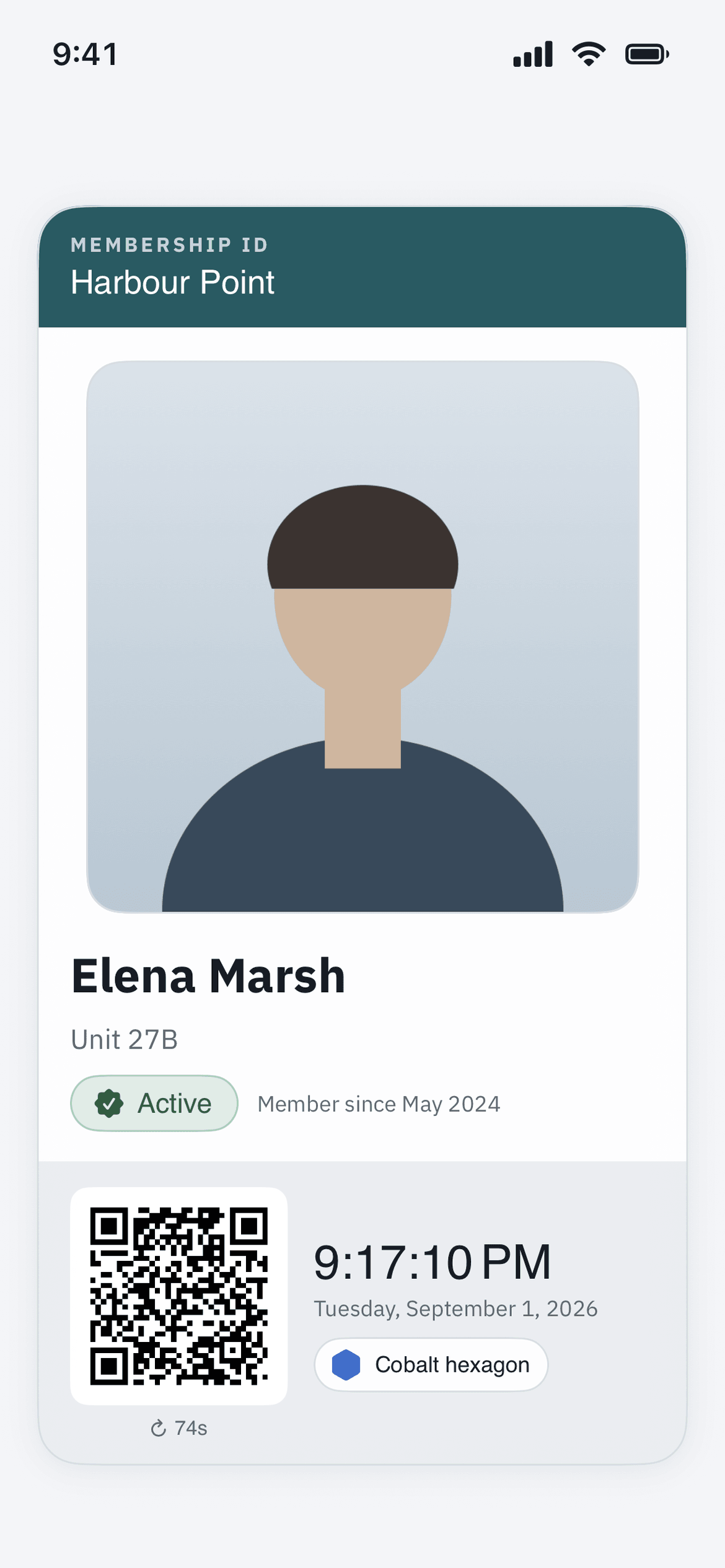
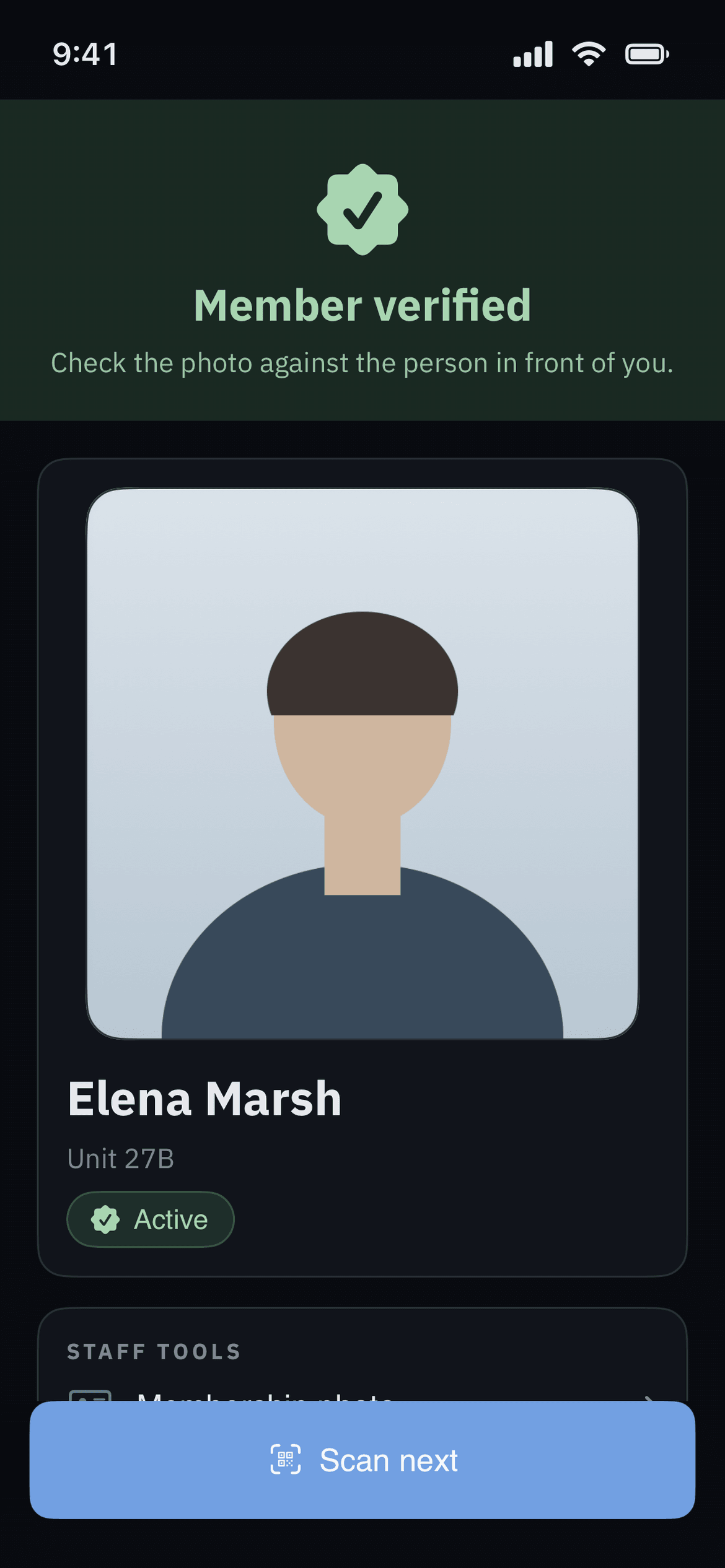
Landscapers, cleaners and trades are registered ahead of time with the days and hours they are expected. At the gate the guard scans the pass and sees allow or refuse, with the reason.
Guests and deliveries
A guest arrives with a pass the host created, or is called through on the intercom. The pass proves who they are. A guard or resident opens the barrier, or, where the platform link has been quoted in, the pass lifts it.
Passes, deny lists, vendor windows, the on-property log and the amenity booking rules all live in the free visitor management platform, which runs with no hardware at all.
The comparison
Us versus the entrance as you inherited it.
We have not audited anybody else’s hardware, so this table sets us against the operator, callbox and fob drawer a board is deciding whether to keep.
| At the gate | Surveyed and specified | The entrance as it stands |
|---|---|---|
| A lost fob | Cancel that one fob and issue another. Five minutes | A drawer of fobs nobody can account for |
| The callbox directory | Listings and codes built with you | The spreadsheet the last vendor left |
| Clubhouse, gym and pool gate | Readers and electric locks on the doors that need them | A shared key on a hook |
| The power goes out | Battery backup, a manual release and an agreed gate position, settled at survey | Whatever the gate happens to do |
| What it will cost | Somebody walks the property, then writes it up line by line | A number quoted from a photograph |
| Something breaks at 2am | Who is called and what is authorized, agreed in writing | Nobody is sure who to call |
Scroll the table sideways to compare →
Access that follows the pass, then stops.
A community’s rules already live in the platform. The door has no idea. This link tells it, and a whole category of Monday-morning administration goes away. We are rolling it out to communities by quote.
One pass, one window, one gate
A visitor pass already carries a validity window. With the link in place, that window drives the barrier itself, and an expired pass stops working at the gate arm.
One list instead of two
Without the link, a person reconciles the resident record against the credential list. With it, revoking a pass takes effect in both places at once, on one audit trail.
Entries logged the same way, whatever opened the gate
Guard scans, fob reads and camera plate reads land in one on-property log. When a board member asks who was on site last Tuesday, the answer does not depend on which door they used.
Ask for it on the survey call and it goes on the same itemised quote as the hardware, as its own line, so the board can strike it and see the difference.
Rolling out · quoted per site
The gate call arrives on your phone.
When a visitor calls your unit from the entry station, your phone rings. You see them and you talk to them, from anywhere, which is the part that matters at four in the afternoon when nobody is home and the cleaner is standing at the gate. Where we have switched opening from the app on for your community, which we do for gates with no guard, you tap to open if you want them in.
Your phone rings, wherever it is
The call follows the resident rather than the unit. At work, at the airport, or on the far side of the property, it is the same call.
You see and hear them before you decide
Video and audio from the entry station, so the decision is made on a face rather than on a name shouted through a speaker. If it is nobody you were expecting, you hang up.
One button opens it, where it is switched on
Where we have switched opening from the app on for your community, which we do for gates with no guard, Open door is on the call screen. There is no code to read out, no keypad sequence to remember, and no second app to go and find while somebody waits.
It needs an entry station at the gate or door, so it is quoted per site with the rest of the hardware and is not part of the free platform.
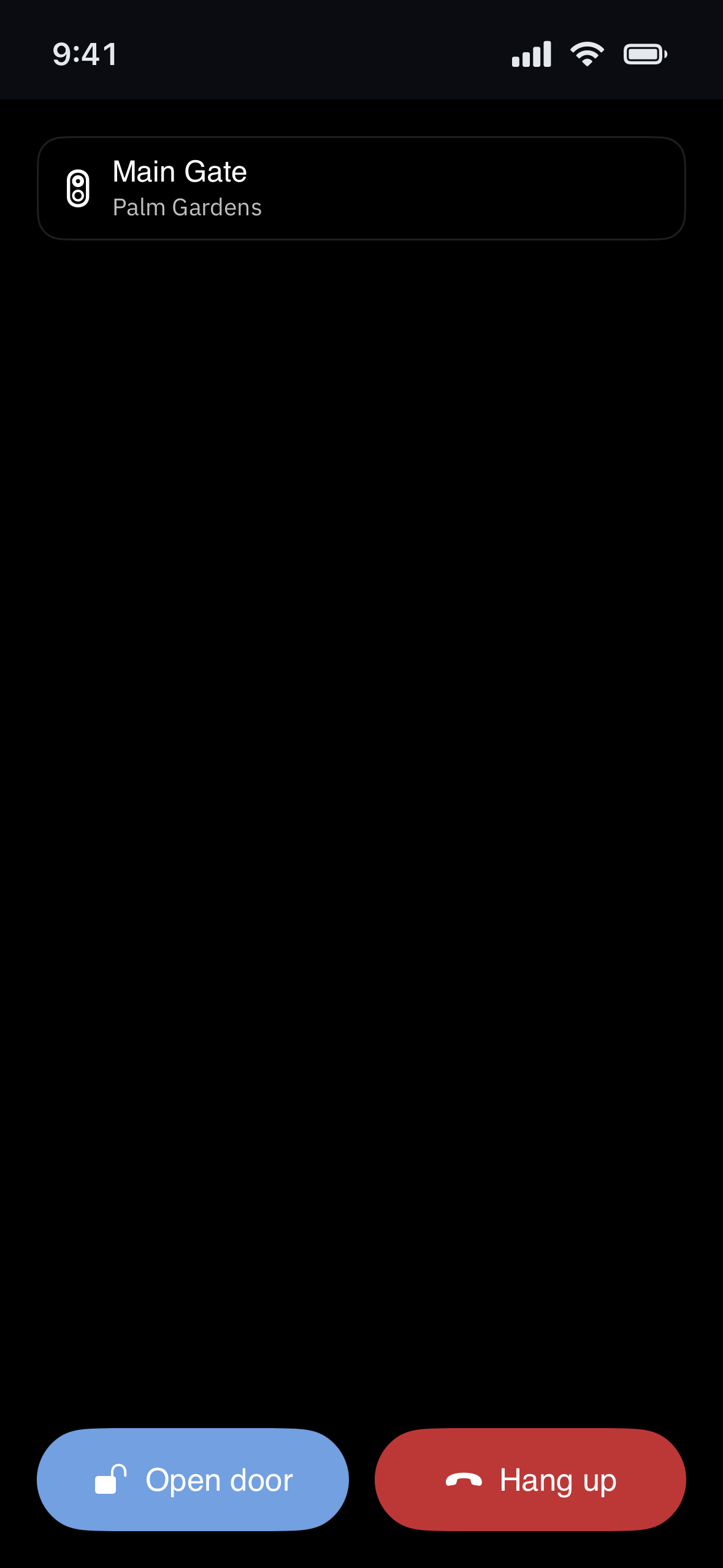
On the resident's phone
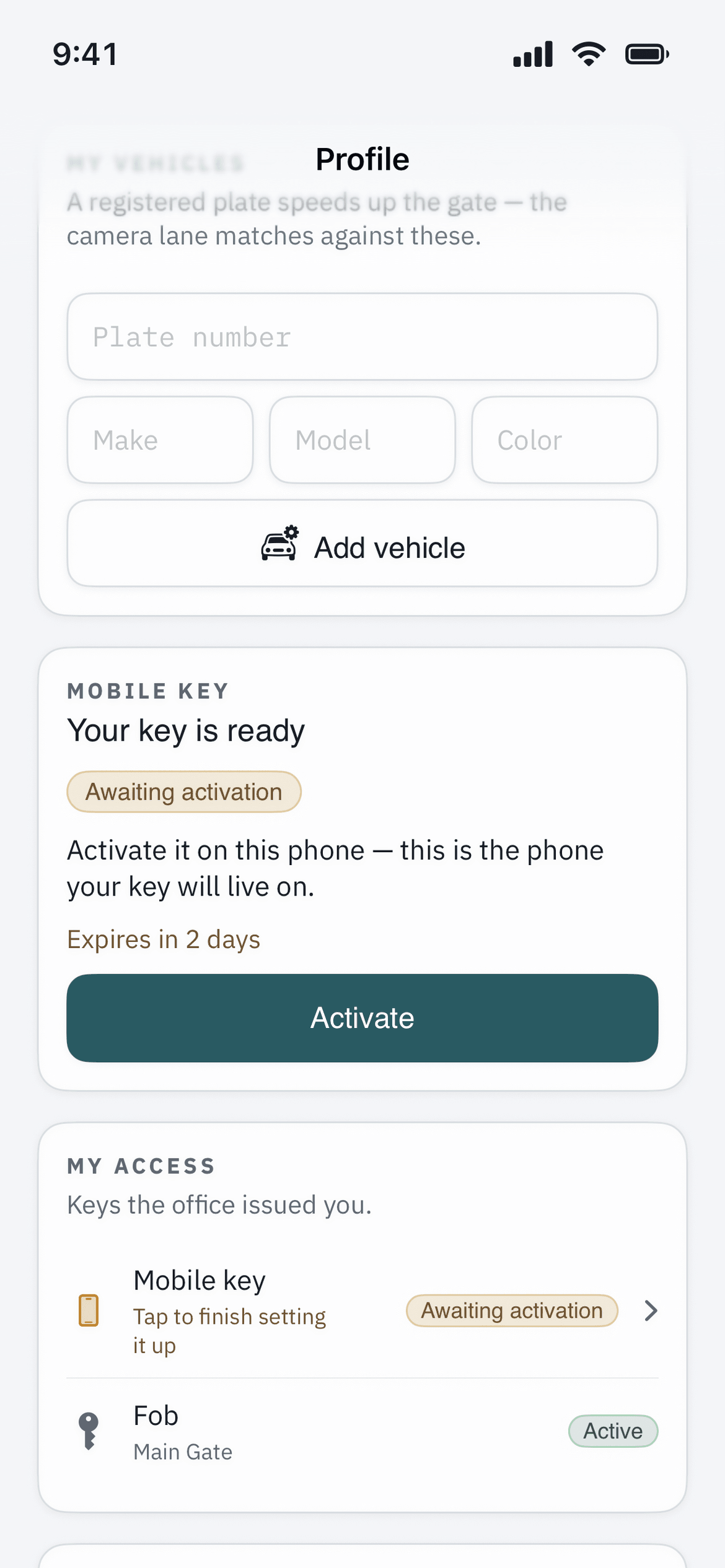
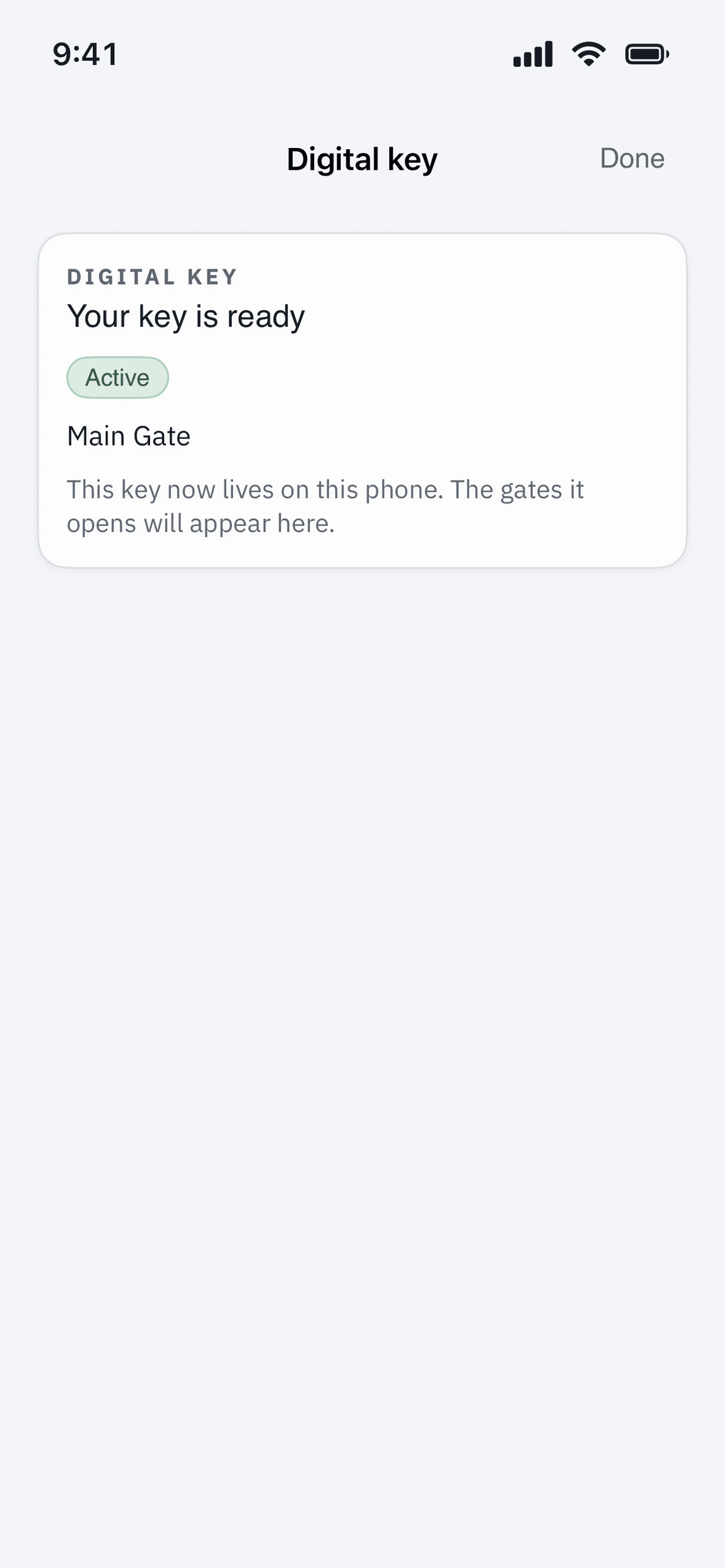
The key, the card, and what the guard sees.
Screens from the app the link puts the door behind. The names and community are a demonstration.
When things go wrong
Power cuts, dead internet, and 2am.
Automating an entrance means deciding ahead of time what it does when something fails. A board that skips those decisions has made them anyway, by default, and usually badly.
The power goes out
A gate operator with no power does not open by itself. So every site decides in advance: battery backup, a manual release, and often a position the gate is left in until power returns. We settle that at survey.
The internet goes down
The panel at the gate holds its own credential list, so a resident fob keeps working with the connection gone. New credentials and remote changes wait in a queue until the line comes back.
The fire service needs in
Emergency access and free egress are set by local code and the fire authority for your jurisdiction, and we do not get a vote. They go into the design at survey, and we do not trade them for convenience.
Something is broken at 2am
A gate stuck open is a security problem. Stuck closed, it is a safety one. Your service terms cover both: who gets the call, what they are authorized to do, and whether a guard stands at the gate until it is fixed.
Your existing gates usually stay.
The expensive parts of an entrance are already in the ground. The leaves, the posts, the conduit and the power run stay. What usually gets replaced is the operator, the controller, the reader and the callbox, plus any safety device that fails its test.
We do not quote from a photograph. Somebody drives out, walks the property and checks what is installed. Sometimes that walk tells you your operator has five good years left, and we are happy to say so.
Backup power, the manual release and emergency access are written into the quote from the start, so they never turn up later as a change order.
How a quote happens
Four steps, no obligation.
Step 1: A call
Fifteen minutes on the phone. How many entrances, what is installed, and what the board is trying to fix.
Step 2: A site walk
We walk every entrance and the amenity doors, trace the cable routes, and talk to whoever gets the call when the gate sticks.
Step 3: An itemised quote
Line by line. Optional items are marked, so the board can strike one and see what it does to the total.
Step 4: Install and service terms
Scheduled so no entrance is left open while we work, with response times written into the service terms.
Where we install and service.
Hardware needs somebody standing in front of it with a meter. That makes this side of the business local in a way the platform is not.
New York & Long Island
Our home ground, run from Huntington. Nassau, Suffolk and the boroughs.
New Jersey
Gated communities and managed properties across the state.
South Florida
Boca Raton, Fort Lauderdale and Miami, including communities that empty out for the summer.
Max Security USA was founded and is led by decorated law enforcement veterans. Guarding, patrol, cameras and access control are all quoted per site. The wider list is at maxsecurityusa.com.
FAQ
Questions boards ask before they approve a gate budget.
If yours is not here, ask it on the call. We would rather give you a plain no before the board has voted than after.
What hardware do we actually need for gate access control?
At minimum, an operator on each gate with its safety devices, a controller, an entry system at each entrance, and credentials for residents. A second exit lane, a pedestrian gate or video adds to that list. The quote names every item and what it is for.
Will this work with our existing gates, or do we have to replace everything?
Usually the gate leaves, posts and trenching stay, because they are the expensive parts. Operators, controllers, readers and callboxes are what get replaced. We decide that on a site visit rather than from a photograph, and if your operator has five good years left we will tell you so instead of selling you a new one.
What happens in a power cut?
An automatic gate with no power will not open on its own, so we write down in advance what it does: battery backup, a manual release, and the position it holds until power returns. Emergency-services access and pedestrian egress are set by local fire code and agreed in writing at survey.
What happens if the internet drops at the gate?
The panel at the gate holds the credential list, so resident fobs keep working at the reader with no connection. What pauses is anything that needs the outside world, such as issuing or revoking a credential remotely and live logging. Those queue up and catch up when the connection returns.
Who installs it, and are they licensed?
Max Security USA installs and services it, with licensed installers and electrical trades where the work requires them. We are a physical security company founded and led by decorated law enforcement veterans. It is our own crew and our own service obligation, so you are never handed a referral and left to manage it.
Can residents open the gate from their phone?
Yes, the way telephone and video entry has always worked: the callbox rings the resident, and the resident opens the gate from that call. Where the platform link is in place, that call can arrive in the resident app instead — the phone rings wherever the resident happens to be, and they see and hear the visitor. Open door on that call screen works only where we have switched opening from the app on for your community, which we do for gates with no guard. The platform link is quoted per site alongside the hardware.
Is the free visitor platform connected to our gate hardware yet?
It can be, by quote. The visitor platform is live and free today: it issues passes, scans them at the booth and keeps the on-property log. The hardware is installed and serviced today. The link between the two is rolling out to communities by quote, and nothing on either side depends on it.
What does access control cost?
It is quoted per site. You are paying for hardware, wiring and licensed labour, and there is no software subscription. The figure moves with the number of entrances, their condition, the cable runs, the credential count and the service cover you choose. We survey it, itemise it and quote it, and the visitor management platform stays free either way.
How long does an installation take, and will the gate be out of service?
Most of the calendar time is waiting on hardware and permits. The work on site is usually the shorter part. We sequence it so an entrance is never left open: one lane at a time, temporary manual operation, or a guard posted at the gate for the duration.
Who owns the access logs and the credential list?
The community does. Credential records, entry logs and resident details belong to the association. They can be exported, and they are not sold or used for advertising. Who can view or export them is set by role, and administrative access is logged.
Read the privacy policy or email [email protected].
Start with somebody looking at your gate.
A survey costs your manager an hour and tells you what you have. If the entrance is fine and only the callbox needs replacing, that is the quote you get.