Free for any community
HOA visitor management software, free for your community.
Residents write their own guest passes. The guard scans one and gets a yes or a no. The board gets a live list of who is on the property, plus work orders, amenity bookings, announcements and the reports it needs for meetings.There is no subscription and no per-resident fee, and it is not a trial that runs out one day. Max Security USA is a guard company. The platform is free to your community whether we ever guard your gate or not.
- Costs nothing
- Nothing to sign
- No card on file
- Set up by a person
What changes
What changes at the gate.
A guest pass system has to take work off the resident, the guard and the manager at the same time, or it is one more login. Here is what each of them stops doing.
For residents
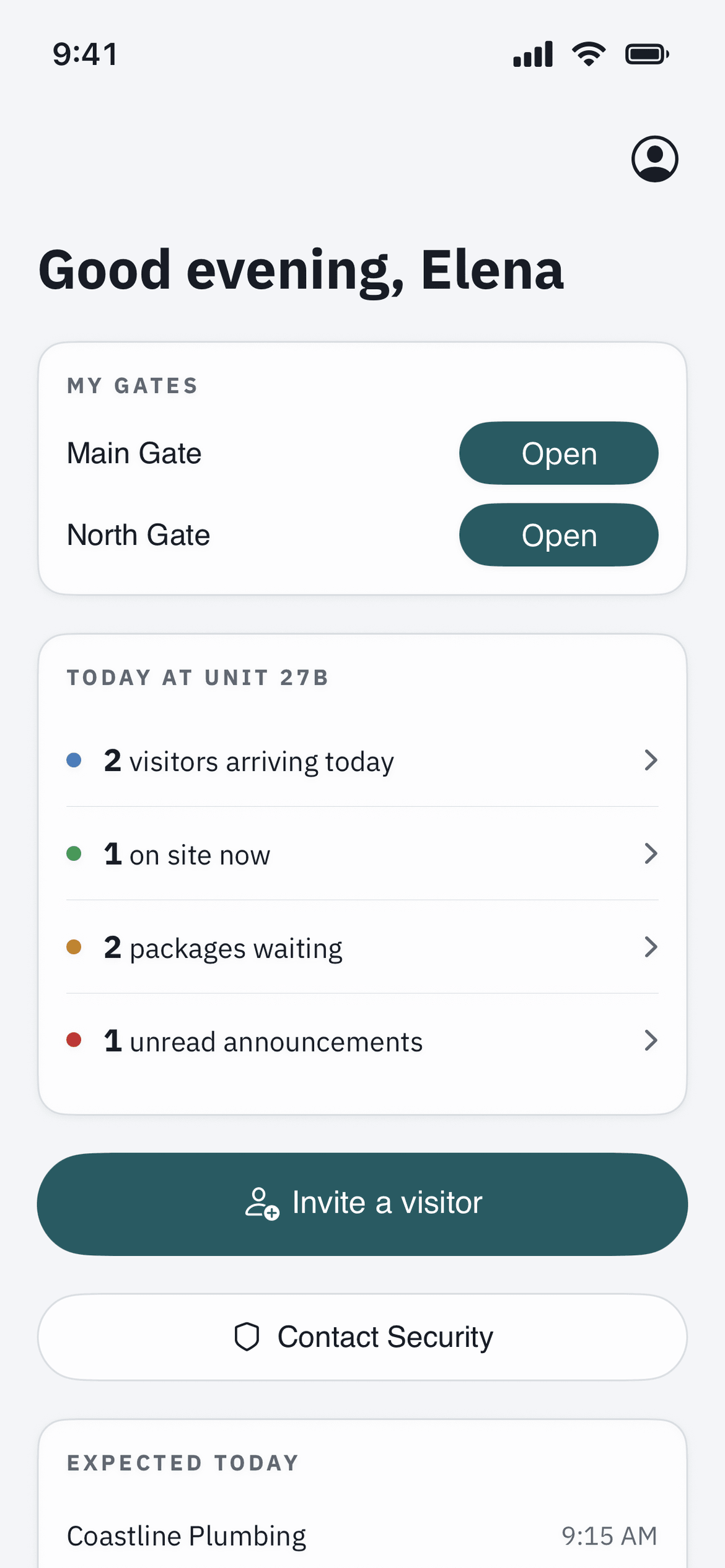
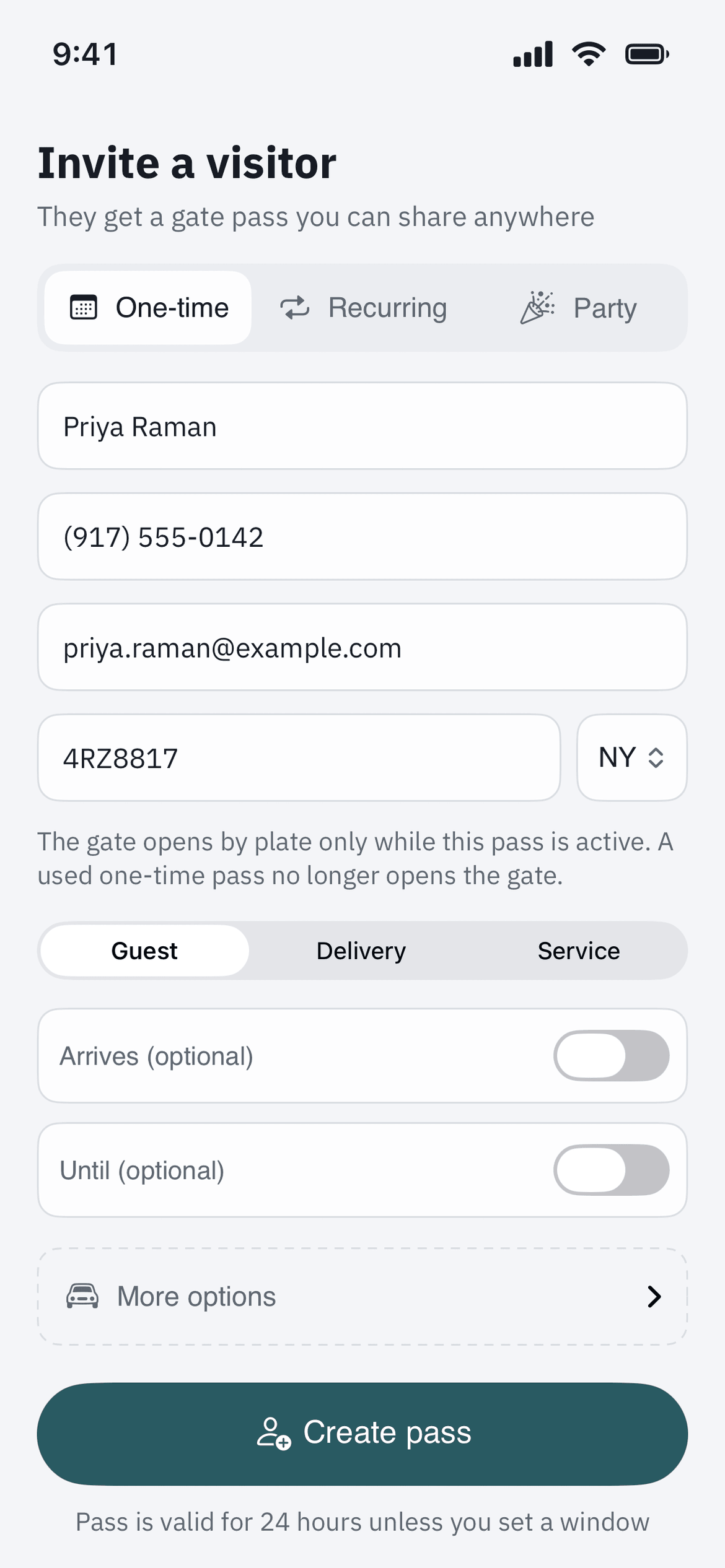
A resident registers the guest from the couch before the guest has left home, and the guest gets a pass for Apple Wallet. Nobody calls the booth from the highway. A weekly cleaner is set up once, with a window, and nobody approves them again every Thursday.
For the guard on the gate
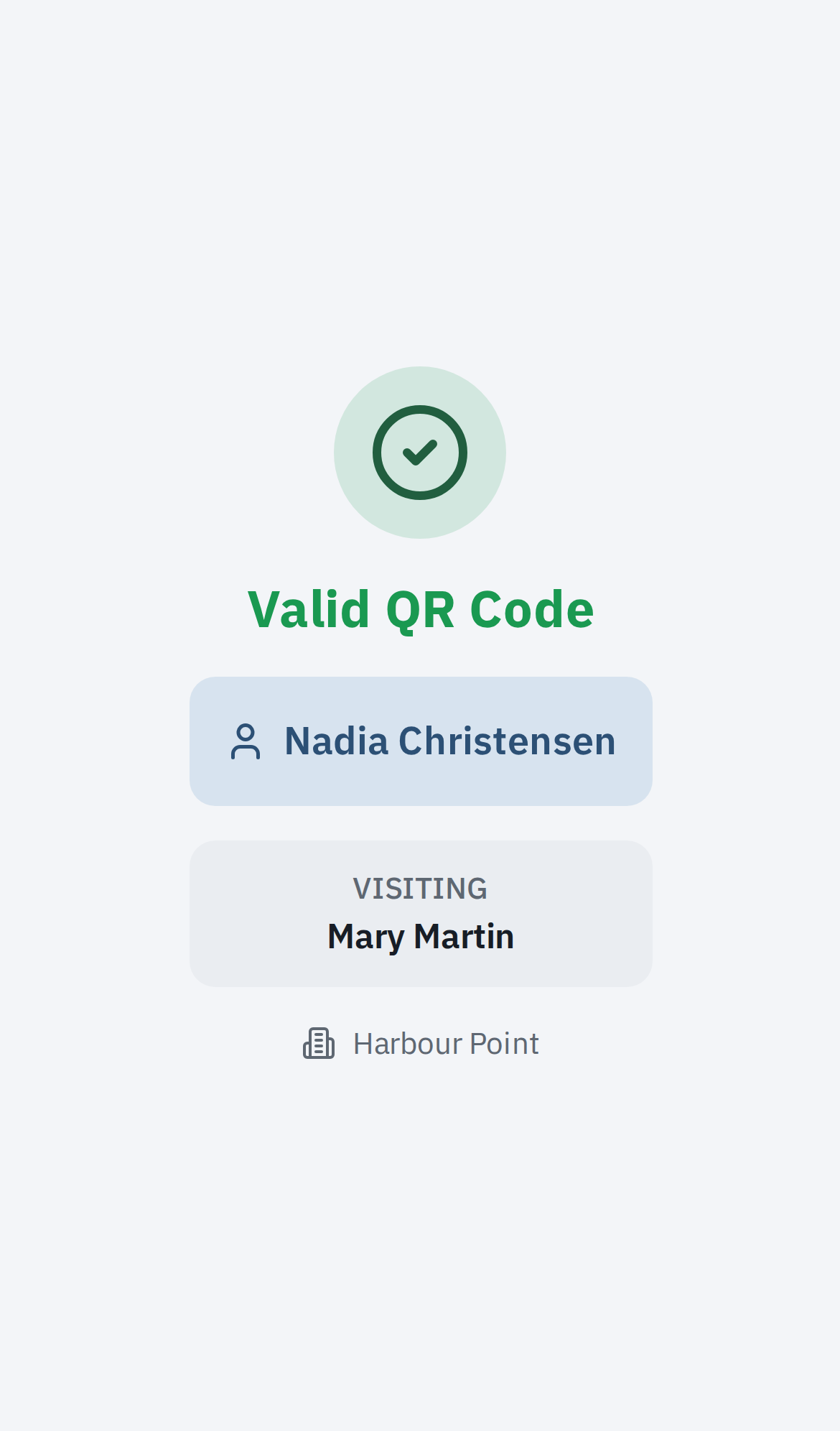
Scan the pass, read the answer, raise the arm or leave it down. When the answer is no, the reason is on the screen, and the driver’s argument is with the board’s policy, not with the guard. Handover notes carry over to the next shift, and in our guard app for iPhone and Android, now in testing, each guard acknowledges the post orders.
For the board and the manager
One record of who came in, who was turned away, which vendor worked on what, and who had the tennis court booked. When a dispute comes up at a meeting, the record settles it.
The guard is still the one at the gate. The platform takes away the guessing, and the phone call to a resident to ask whether they are expecting anyone.
Included
There is no higher plan.
Every item below is part of the platform, for every resident and every guard.
Visitor pre-registration
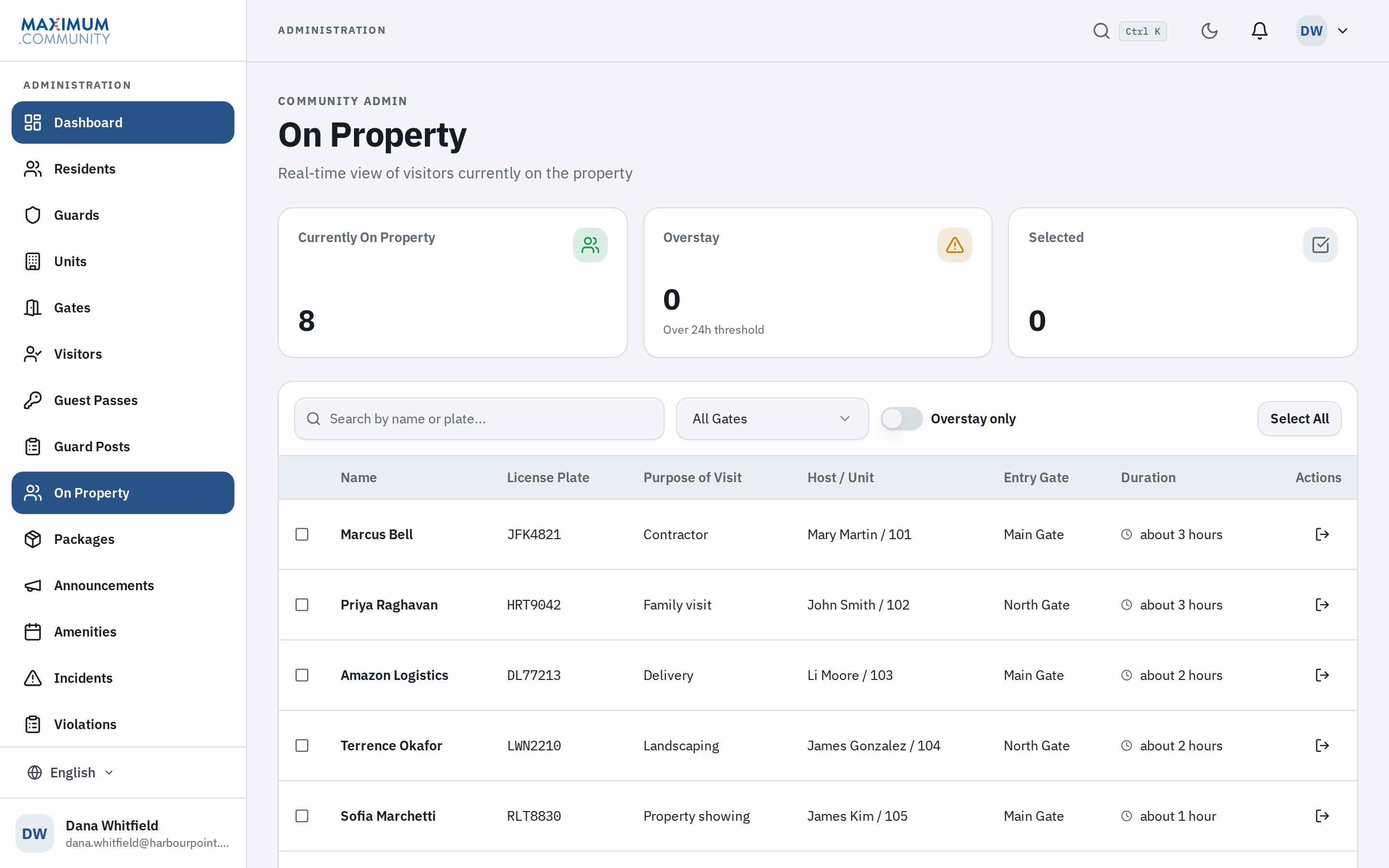
A resident registers one visitor, a weekly cleaner or a whole party list from their phone. The name is waiting at the booth when the car pulls up.
Gate scanning with a straight answer
The guard scans the pass and the screen says allow or refuse, and why: the code has expired, the pass has been canceled, or no pass matches it. Our guard app for iPhone and Android, now in testing, also says when a pass is outside its window or already used.
Live on-property log
Every entry and exit, with the plate, the host and the time. Ask who came through the gate last week and the log has it. The export goes in the file.
Apple Wallet passes
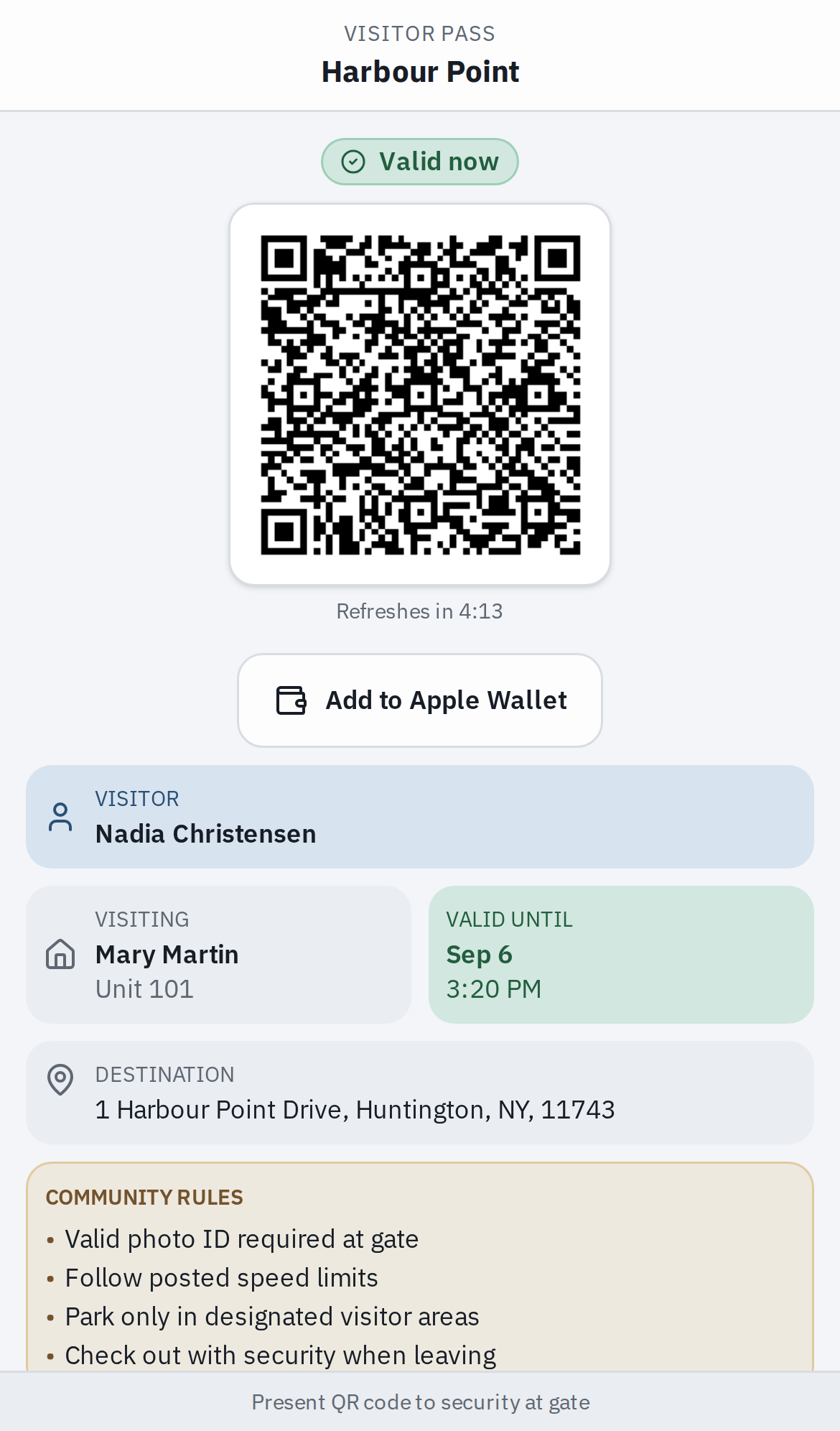
The guest adds the pass to their phone once. If the resident revokes it or cancels the visit, the card on the guest’s phone shows it as void, and the guard at the gate sees it refused. In our iPhone and Android apps, now in testing, a resident who changes the end time or the window updates the card too.
Work orders & maintenance
A resident puts in the request from the app. Management assigns it to a vendor, and the resident and the board can watch it move from open to done.
Amenity booking
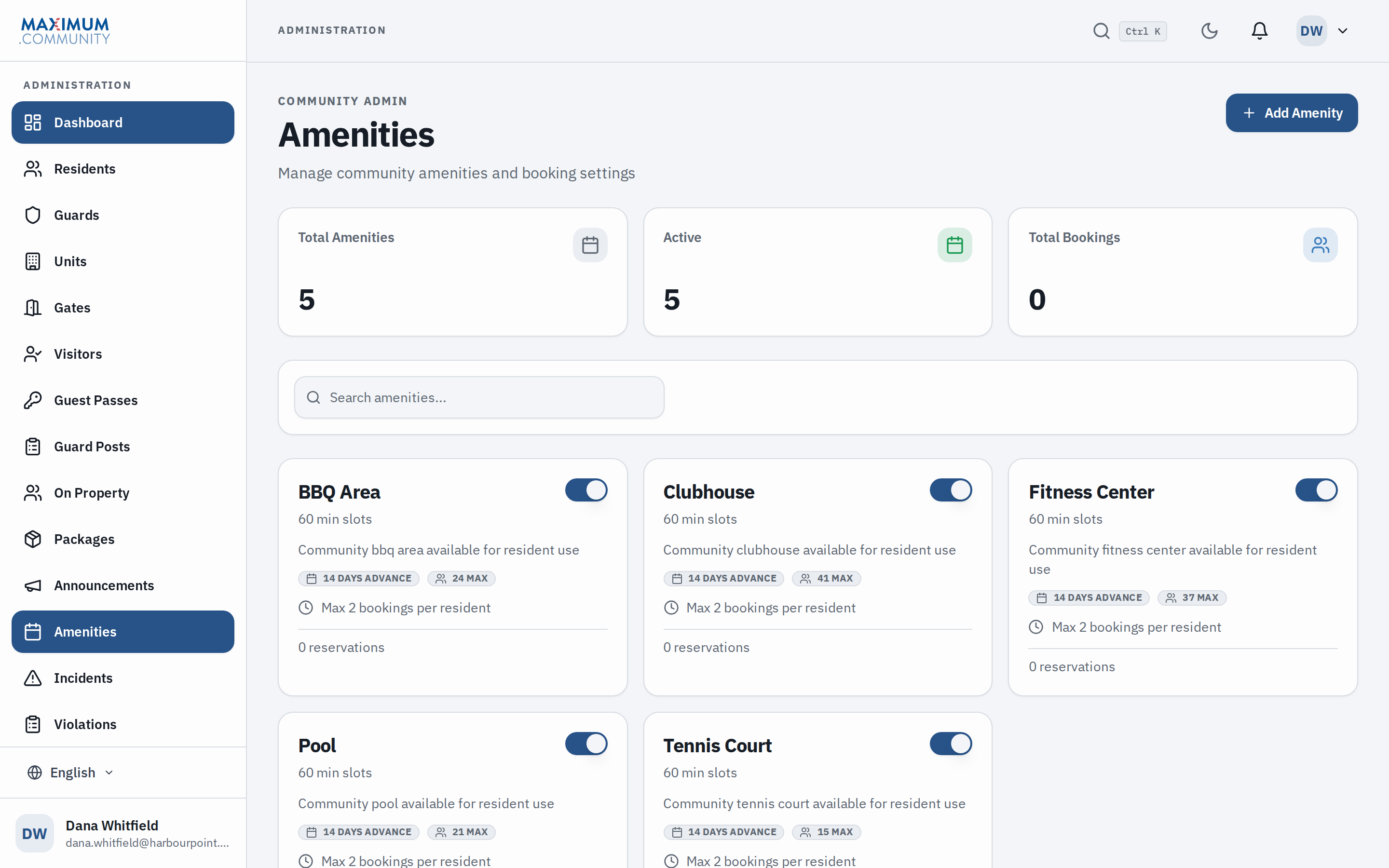
Clubhouse, pool and tennis court reservations, run on your own hours, limits and advance-booking rules. The calendar says no so a person does not have to.
Announcements & messaging
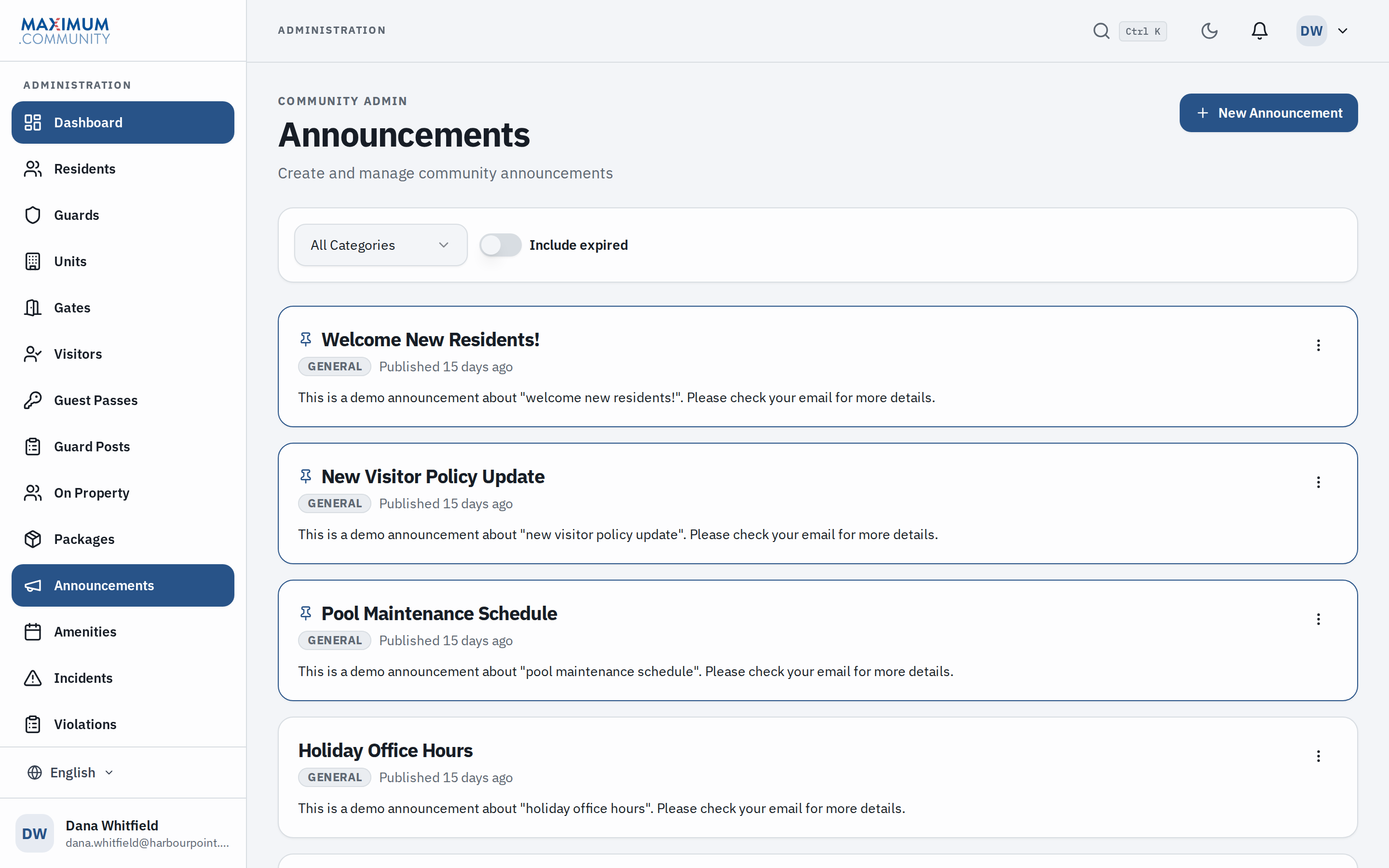
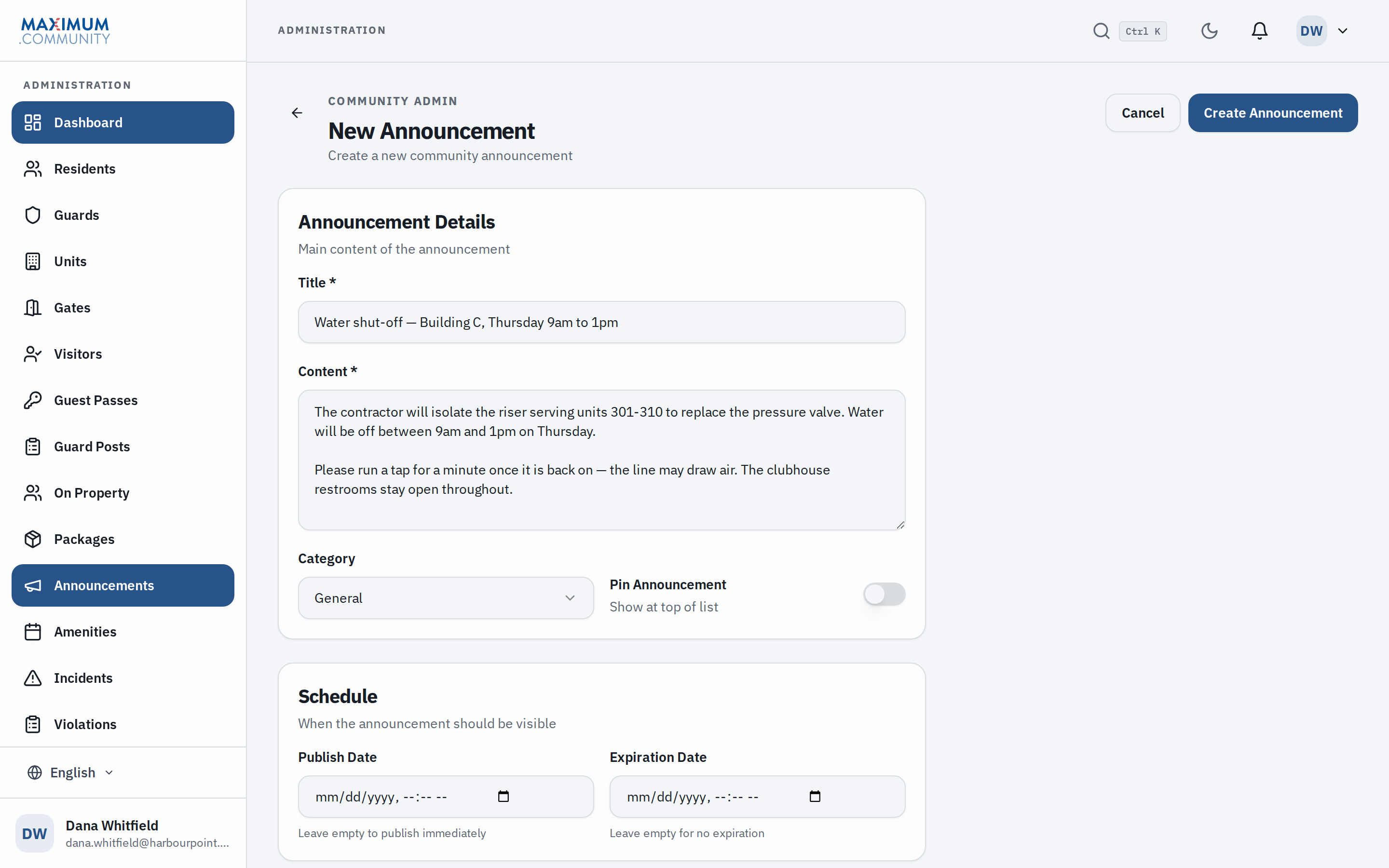
Reach the whole community or a single building by email and in the app, in each resident’s own language. There is a record of what went out and when.
Deny lists, watchlists & BOLO
Residents keep a private do-not-admit list, and management keeps the community deny list, watchlist and BOLO alerts. When a camera reads a plate on the deny list, on a deny entry in the watchlist or on an open BOLO, the guard’s screen flags it.
Parking & vehicle registration
Resident vehicles, guest parking allowances and violations, tied to the same plate data the gate and the cameras already use. One list for all of it.
Violations and your own fine schedule
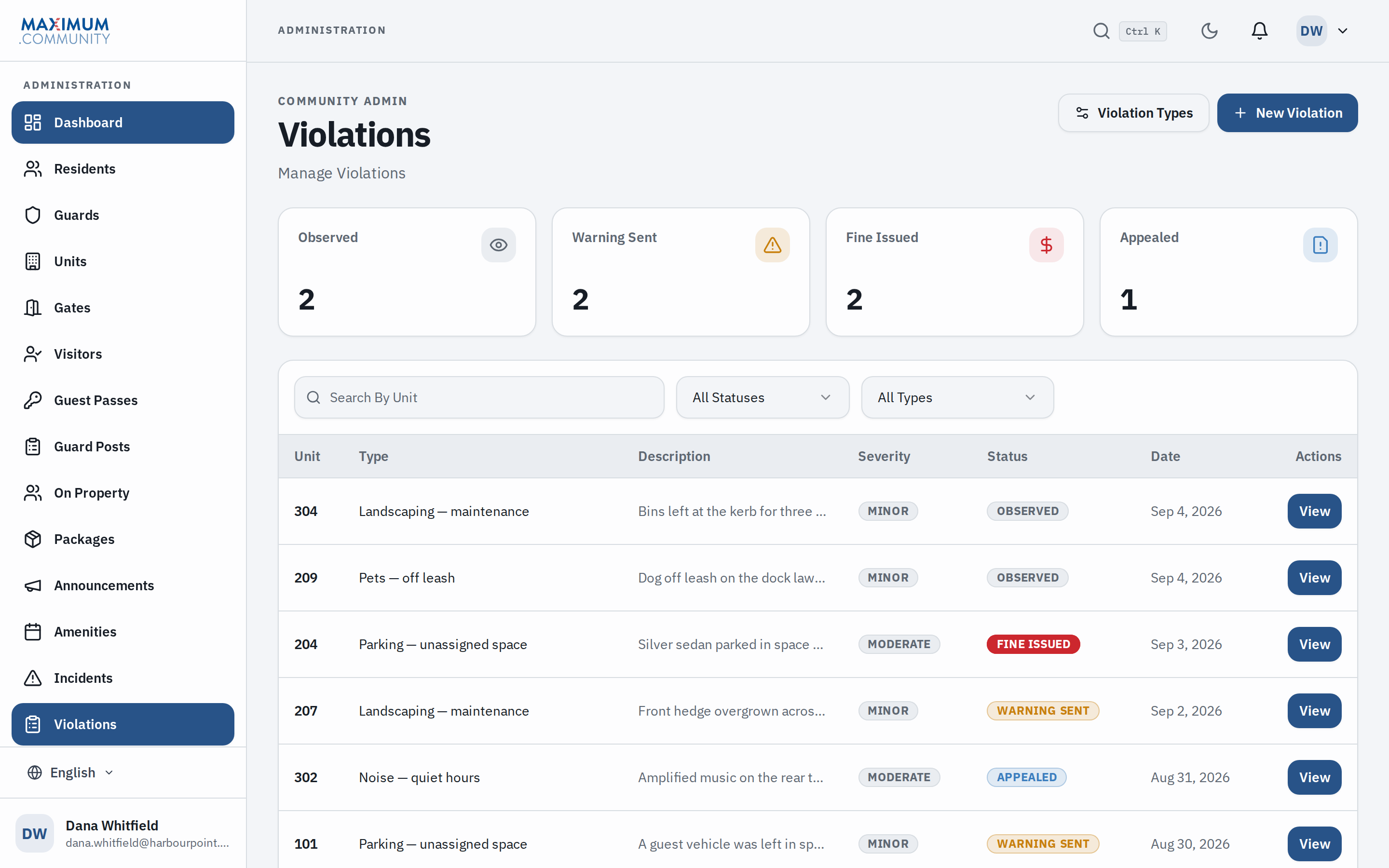
Log a violation against a unit with its category and severity, and watch it move from observed to warning sent to resolved. Your schedule sets the first, second and third amounts per category, whether a warning has to go first, and whether the resident can appeal.
Incidents & emergency broadcast
Log an incident with the evidence attached. When you need every resident at once, an emergency message goes to all of them and is never held back.
Documents & community records
Bylaws, rules, architectural forms and meeting minutes, kept in one place where a resident can find them.
Reports for the board
Entry volumes, denied entries, violations and vendor activity, run as a report when a board member wants the numbers before the next meeting.
Eleven languages
Residents read the app, notifications and emails in their own language. Spanish, Portuguese, Russian, Chinese, Korean, Vietnamese, Hindi, Arabic, Hebrew and French, alongside English.
Guard shift notes & standing orders
Handover notes that carry from one shift to the next, so the night guard reads what the day guard saw. In our guard app for iPhone and Android, now in testing, each guard acknowledges the post orders, and the manager sees who has.
◷ In progress. Nothing above depends on either one.
Access control integration
Gates and amenity doors that open from the same pass. It takes hardware and an installer, so it is quoted per site and stays outside the free platform.
App Store & Google Play
Native iOS and Android apps are in testing. Everything above already works from a browser. The apps add push notifications and a one-tap pass.
The comparison
Us against the clipboard.
We have not audited another vendor’s product, so the column on the right is the paper log and the phone call a booth is likely running on today.
| At the gate | Maximum.Community | A clipboard and a phone call |
|---|---|---|
| Registering a guest | Residents register guests from their phone | A phone call to the booth, or a name on a sticky note |
| At the gate arm | Allow or refuse, with the reason on the screen | The guard’s best guess, with cars backing up |
| A pass the resident canceled | The card on the guest’s phone shows it as void | Still looks valid at the gate |
| “Who was here on Tuesday?” | Every entry and exit with plate, host and time | Three memories of the same Tuesday |
Scroll the table sideways to compare →
What costs extra, and why
Three things cost money.
Each one costs us something before it costs you anything. All three are optional, and a community can run without any of them for as long as it likes.
Included, free
$0
The whole platform, for everyone at your community. We set it up and host it, and support does not stop at go-live. We keep no card on file, and there is no renewal date.
Text messaging (SMS)
Every text costs money to send, and US carriers require each sender to be registered. We charge for it only if you switch it on. Email and in-app notifications are free and unlimited, and a community can run on those alone.
Optional.Access control integration
Connecting gates, clubhouse doors and amenity readers to the same pass means hardware, wiring and a licensed installer. That is a job with a truck and a crew, so we quote it per site and keep it out of the free product.
Quoted per site.White labeling
Your own branding and domain on the resident app, the emails and the passes, with Max Security’s branding taken off. It is custom work each time, so we quote it per community. Nothing else on the platform depends on it.
Quoted per community.Guarding, vehicle patrol, camera installation and monitoring are Max Security USA services. We quote them per site after walking the property, and that is a separate conversation. Turning them down changes nothing about the platform you have.
How to get it
We left the sign-up button off on purpose.
A pass from this platform tells a guard to let a car in. Anyone who could create an account unsupervised could write passes into a neighborhood they have never set foot in, so we check every community first: who is on the board, which property it is, and who is going to run it.
The second reason matters more day to day. A board should not have to configure a security system on its own. Gate rules, parking allowances, amenity limits and post orders are easy to get slightly wrong, and the person who finds the mistake is usually a guard at the gate arm at 11 p.m. with a driver waiting. So we set it up with you.
Step 1: Tell us about your community
About fifteen minutes on the phone. How many units, how many gates, whether the booth is staffed, and how a guest gets in today. If something you need is not built yet, we say so on that call.
Step 2: We verify and set it up
We confirm who the board is and which property, then we configure the gates, units, amenity rules, parking allowances and post orders and import your resident list. Most of that work is ours.
Step 3: Your community goes live
Residents get their access and a short guide in their own language. Guards get theirs, along with their standing orders. We stay on support afterward, so the first question a resident asks does not land in an empty inbox.
It costs nothing, and we do not take a card.
On a phone
What residents and guards see.
Both run in the phone’s browser, with nothing to install.
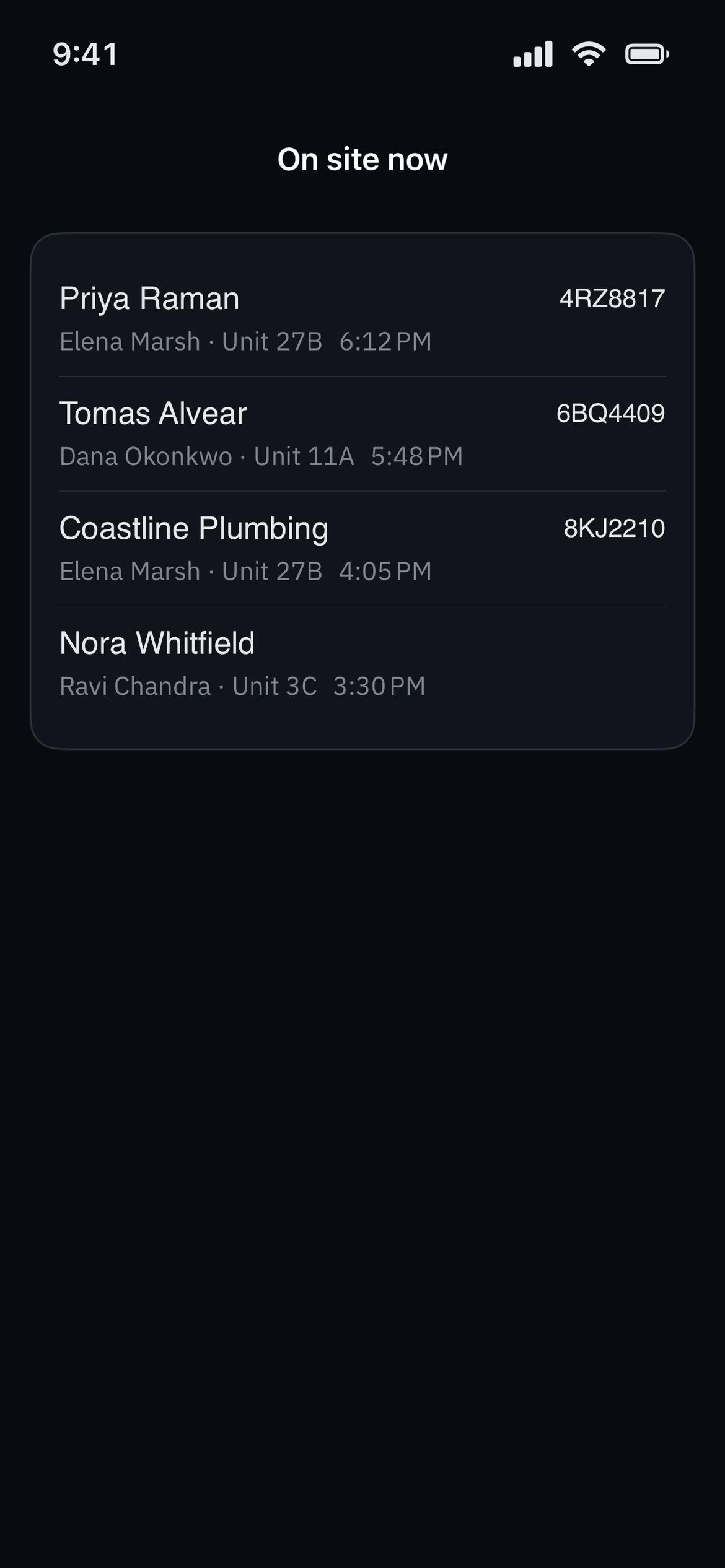
One visit, three screens
The pass, the answer, and the party list.
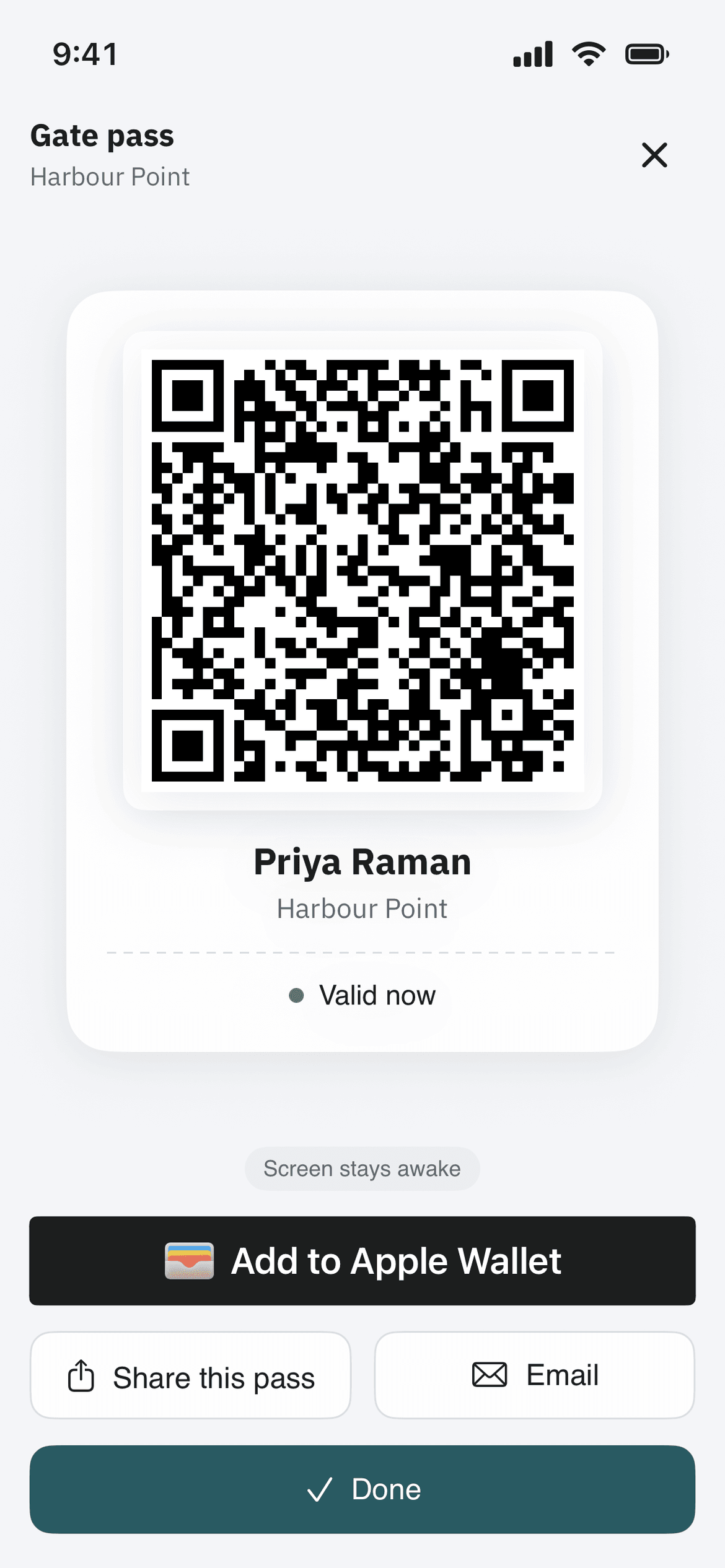
A guest pass is only worth anything if it survives the trip from a resident’s couch to a car at the barrier. This is that one visit, seen by the guest, by the guard who reads it, and by the guard working an evening when a whole guest list is arriving.
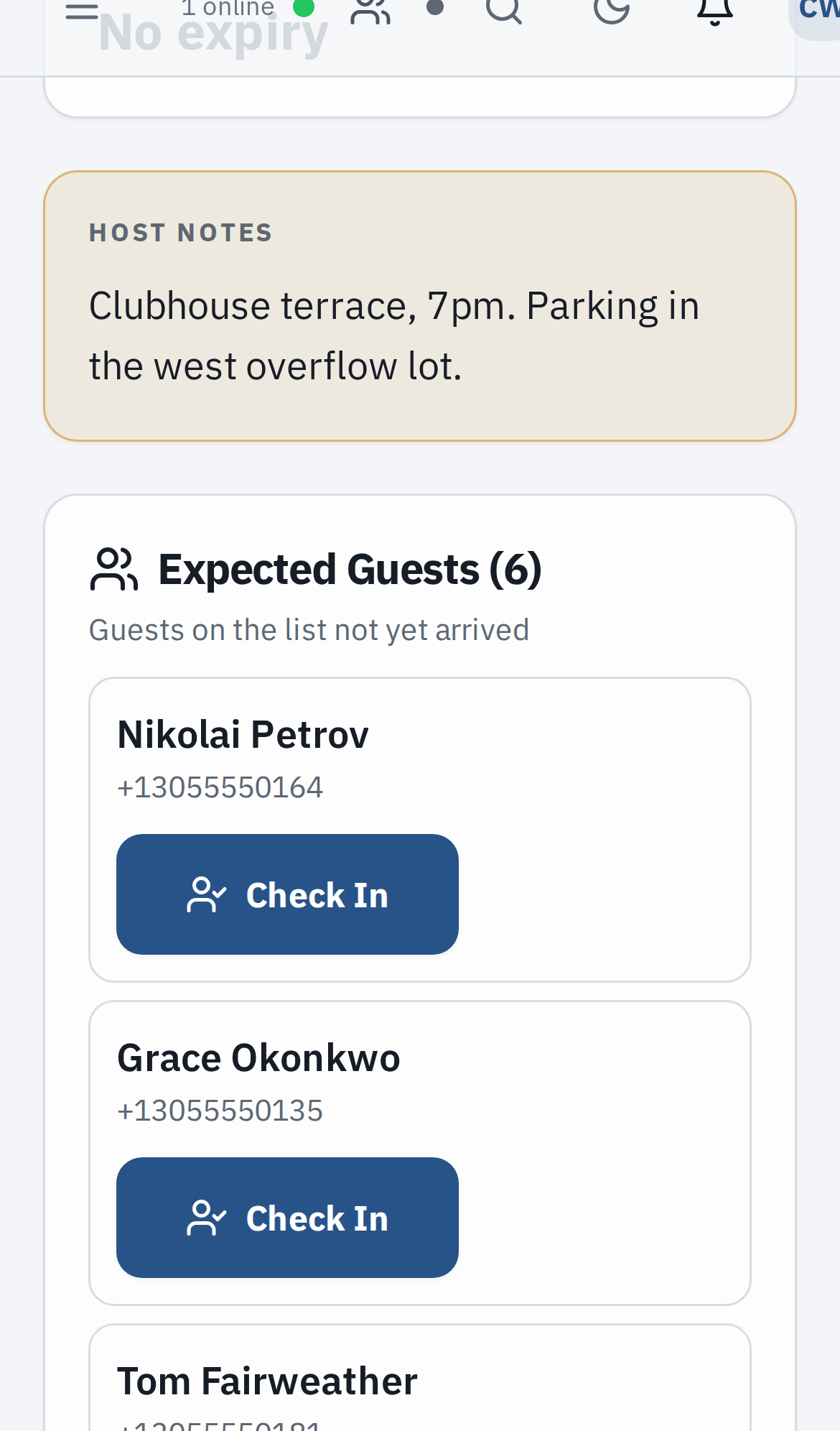
A party is registered once
The resident enters the event and the guest list once, with whatever the gate needs to know — which entrance, where the overflow parking is. The booth gets one list for the evening instead of a phone call per car, and afterwards the record shows who was checked in and who never turned up.
The answer comes from the list, not the picture
A scan is checked against the live record at that moment, so a pass revoked an hour ago comes back refused, however convincing it still looks on the phone in front of the guard.
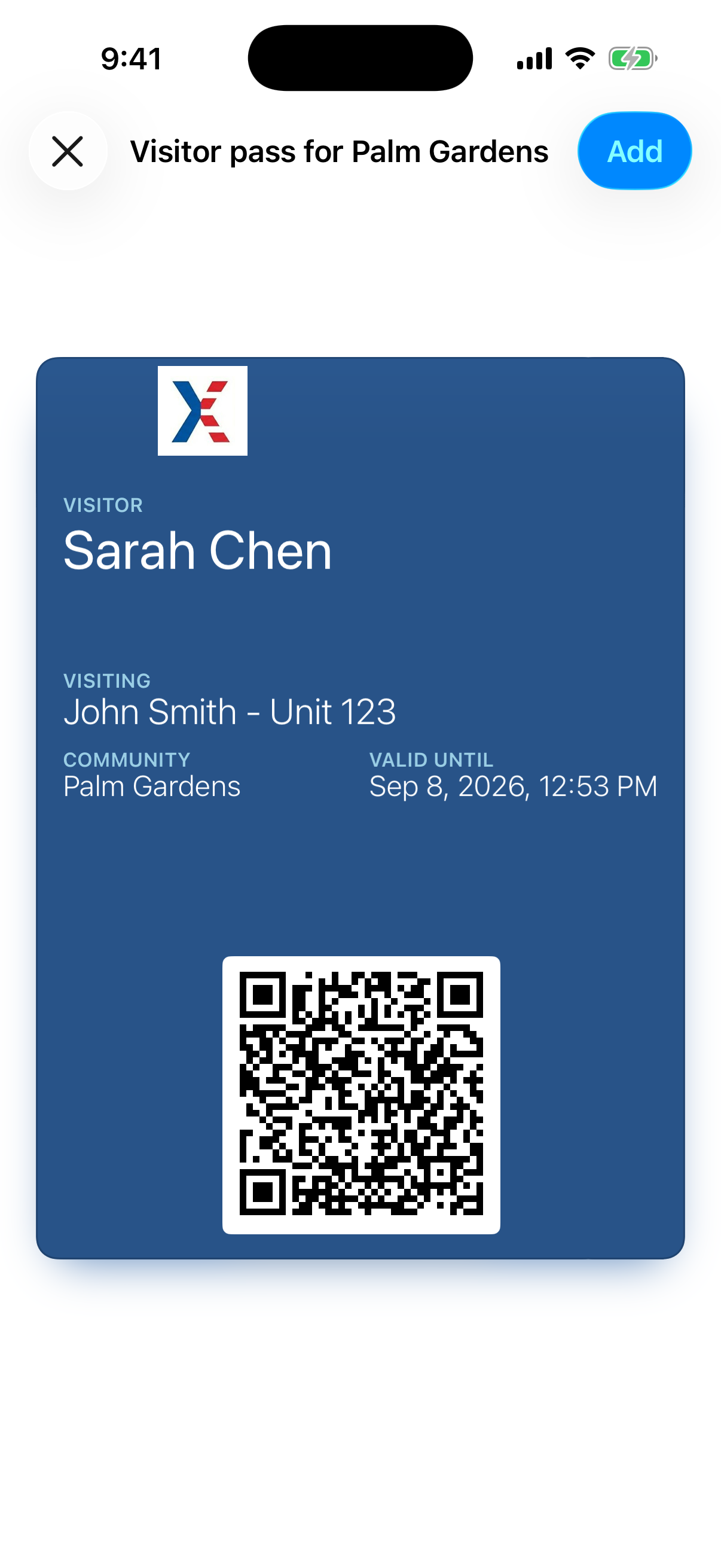
Apple Wallet
Then it goes in the guest’s Wallet.
The pass page has an Add to Apple Wallet button on it, and that button is the entire installation process.
Nothing to install
No app, no account, and no password to reset while a car waits at the arm. The guest opens the link the resident sent them and taps once.
It follows the resident’s changes
When the resident revokes the pass or cancels the visit, the card on the guest’s phone shows as void, so a canceled visit does not go on looking valid in somebody’s Wallet. In our iPhone and Android apps, now in testing, changing the end time or the window updates the card too.
The gate still asks the list
The card is the convenient copy, not the authority. When the guard scans it the answer comes from the live record: who it was issued to, whether it is still inside its window, and whether anyone has revoked it since.
A guest on an Android phone opens the same pass in their browser, and the guard scans it the same way. The Wallet card is the Apple shortcut to a pass, not the pass itself.
The console
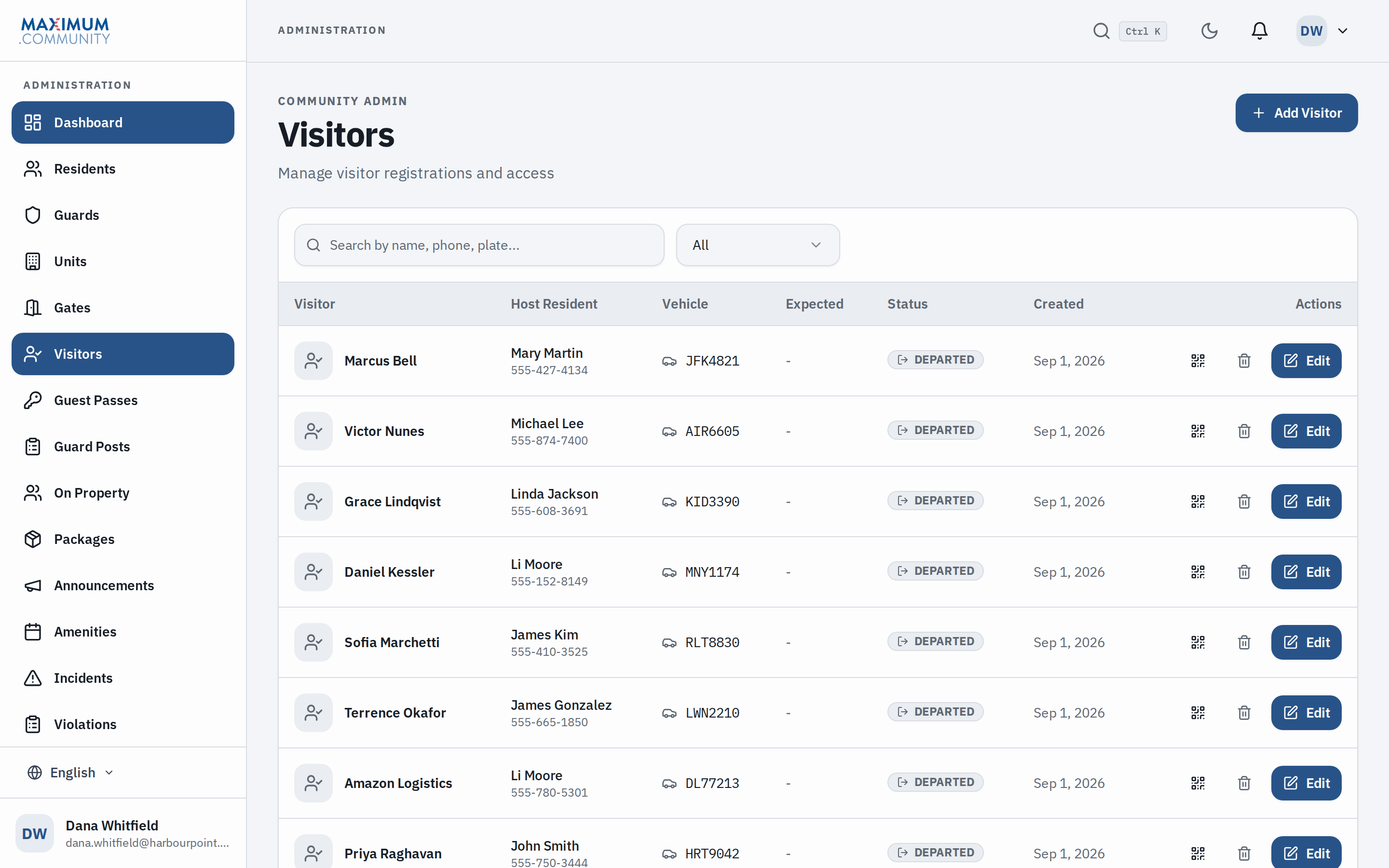
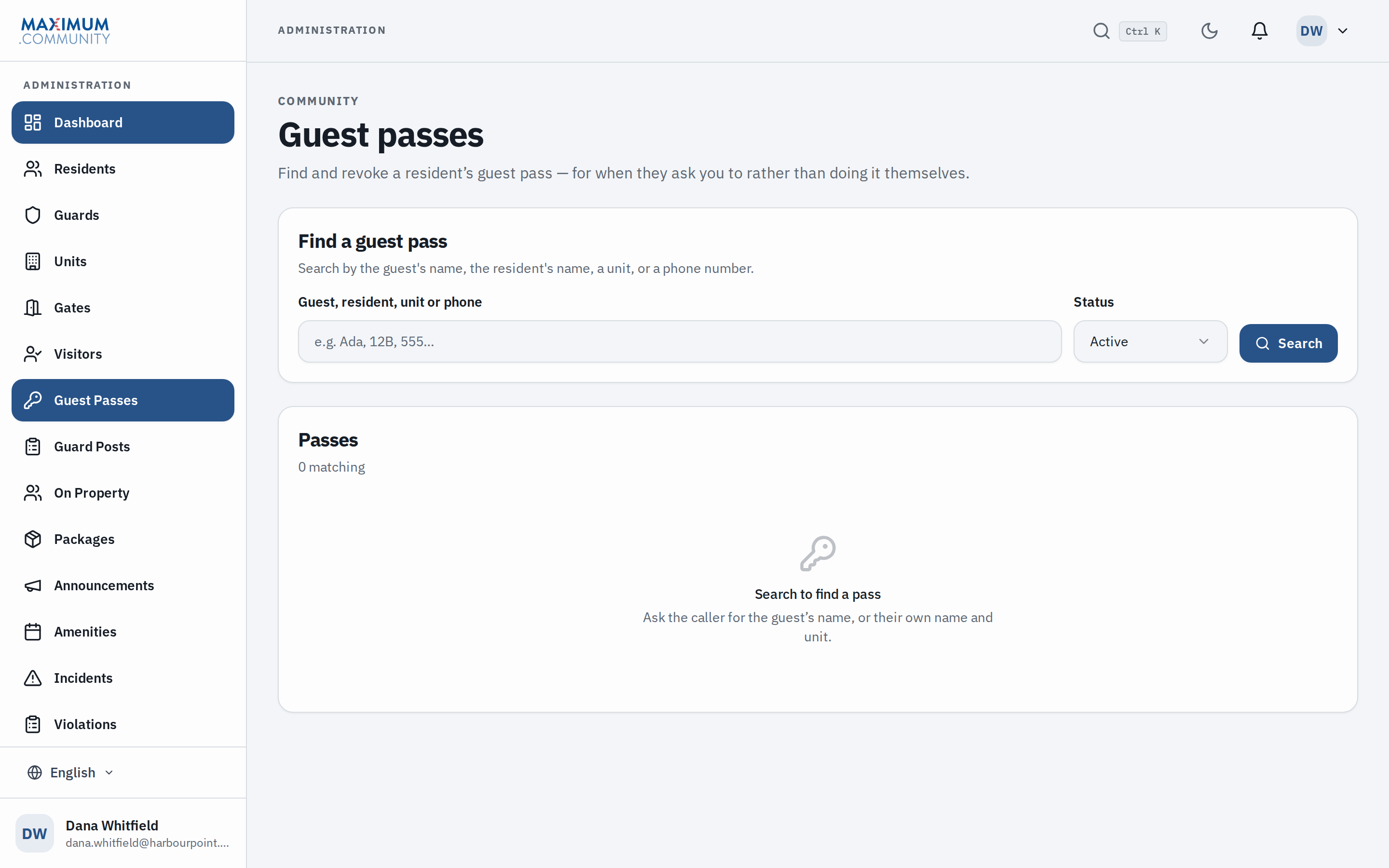
What the board gets.
Service area
Where we work.
Max Security USA is led by decorated law enforcement veterans with more than 130 years of combined service. The software runs anywhere. Setting it up means one of us working with your board, so if you are outside these areas, call and ask.
New York
Long Island and the wider metro area, from our office in Huntington.
New Jersey
Gated communities and managed properties across the state.
Florida
Boca Raton, Fort Lauderdale and Miami.
FAQ
Questions boards and property managers ask us.
More detail: how guest passes and Apple Wallet cards work, and the guard’s screen in the booth.
If your question is not here, bring it to the call. Read the privacy policy or email [email protected].
Free for your community, set up by us.
Fifteen minutes on the phone tells both of us whether this fits your property.