Amenities and membership
Amenity access that follows the membership.
A membership tier says which amenities a home may use, at what hours, and whether it can book them. Each member carries a card with their photo and a QR code that changes every 90 seconds. At the pool or the gym, the desk scans it and the answer comes from the server.
- Rules per tier and amenity
- Photo card with a live QR code
- Part of the free platform
A tier is a set of rules.
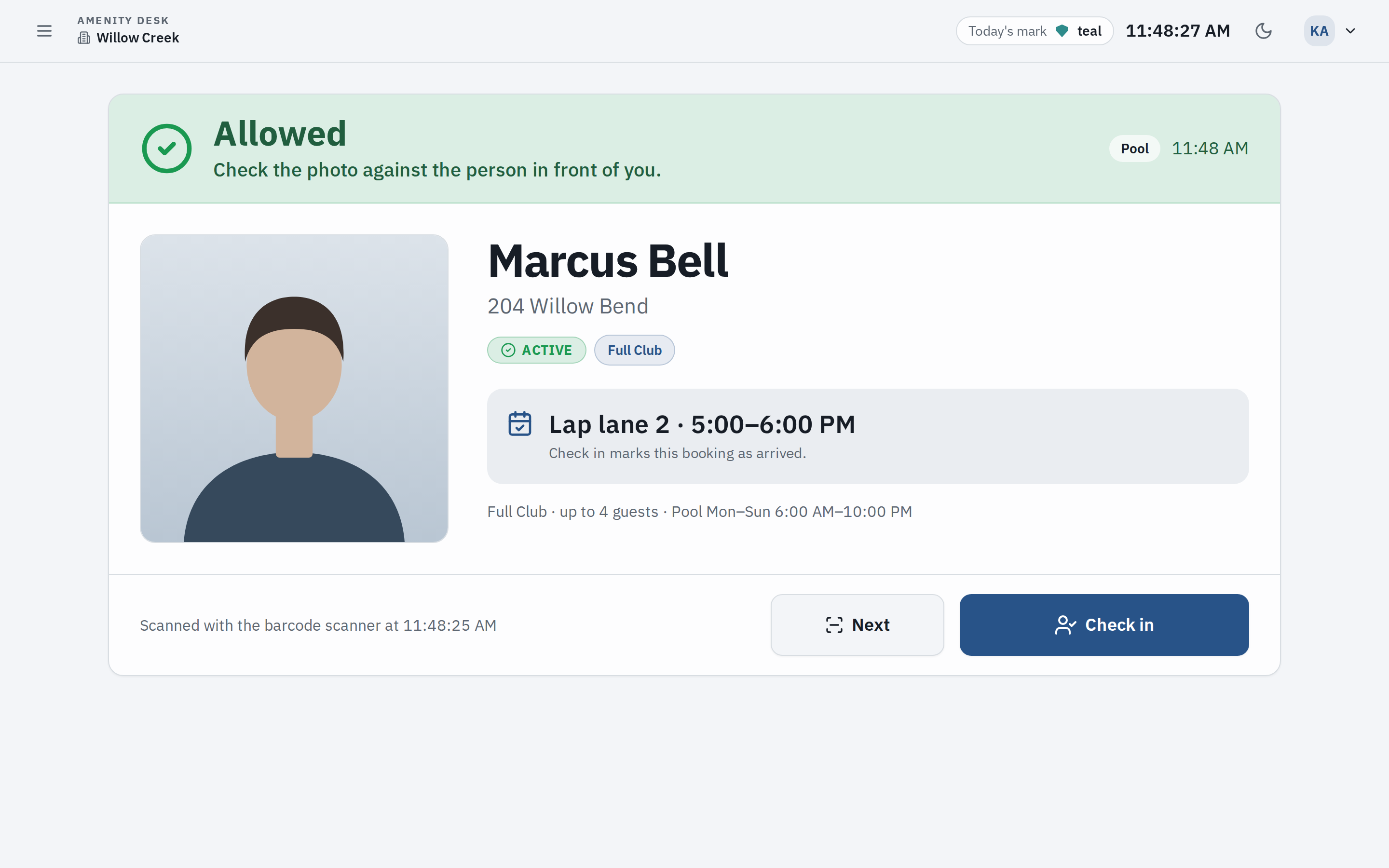
The board decides what each membership includes. We set the tiers up with you, and the office can change them later. For every amenity, a tier answers four questions.
Included, or not
Each tier lists the amenities it includes. Anything it leaves out is not part of that membership, so the app will not book it and the desk sees “Not in their tier.”
The hours
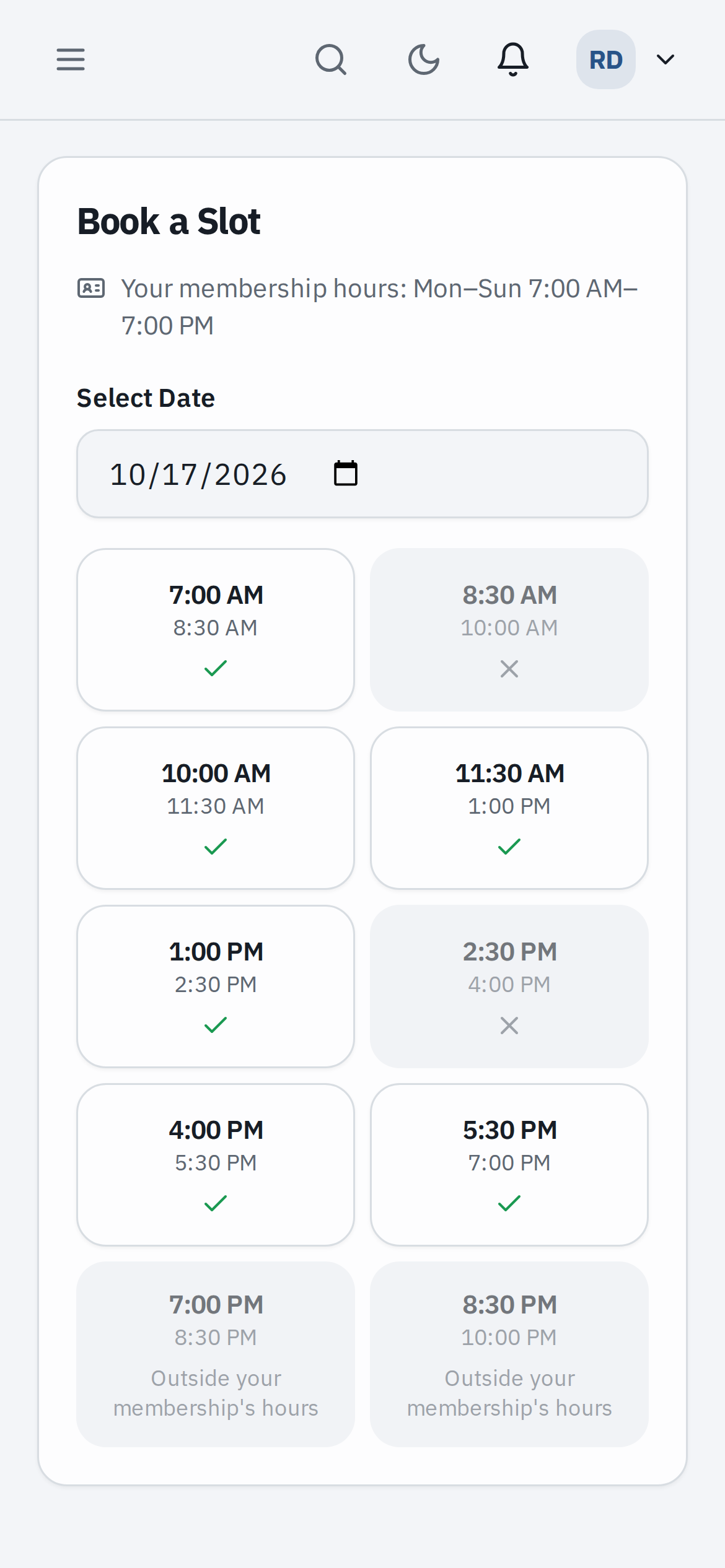
Each amenity can have its own windows by day, on the community’s clock: the pool from 6 a.m. to 10 p.m. for one tier, weekends only for another.
Booking, or use only
A tier can let members book an amenity or only use it. A booking has to fit inside one of the tier’s windows, from start to finish.
Guests
How many guests a member may bring on a visit, or no limit. The desk sees the number when it scans the card. It is for staff to apply: nothing counts guests automatically.
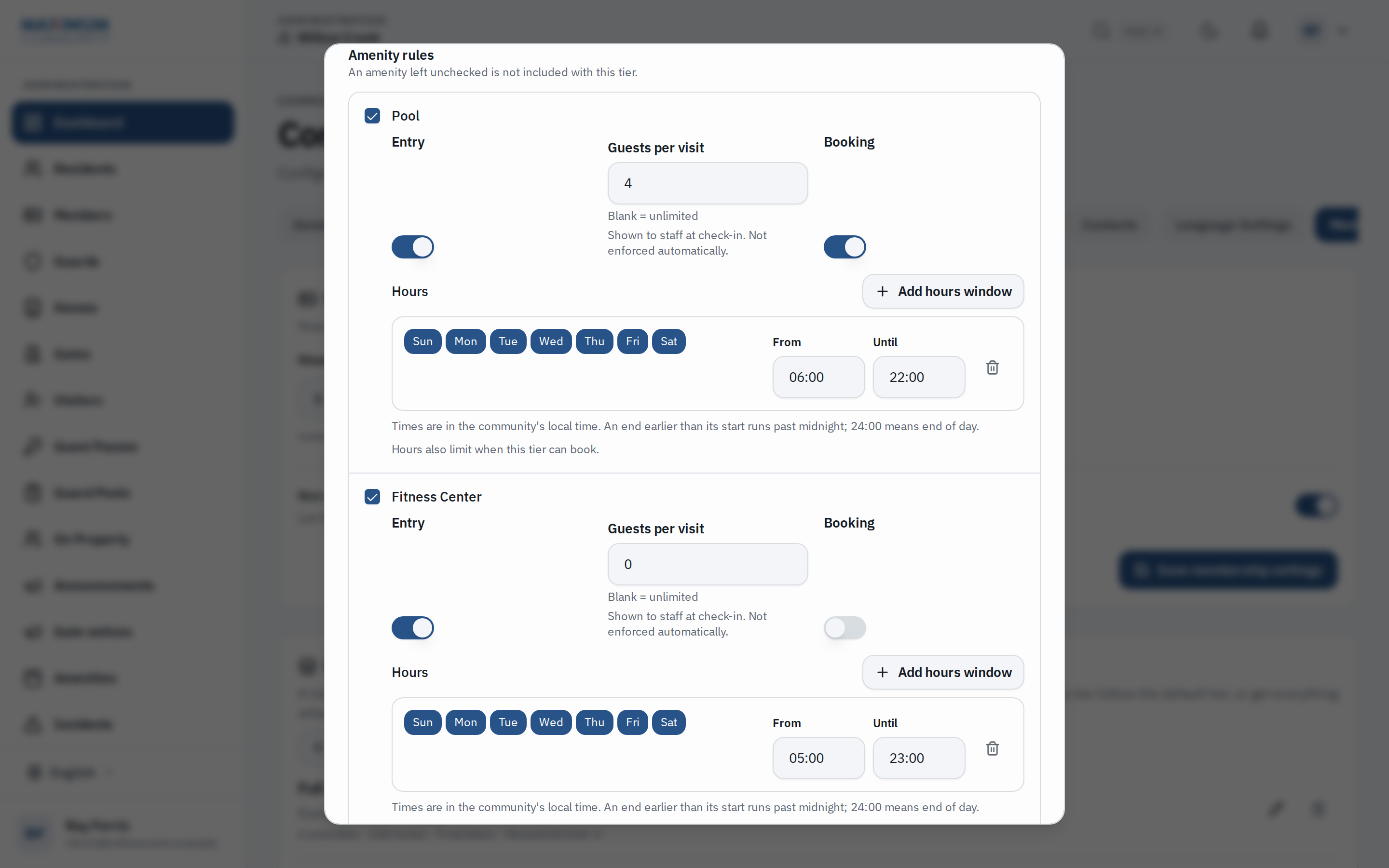
A tier can also cap how many household members one home may list. Capacity, slot length and how far ahead people can book stay set on each amenity, the same for everyone, as they are in the visitor management platform.
Who is a member, and the card they carry.
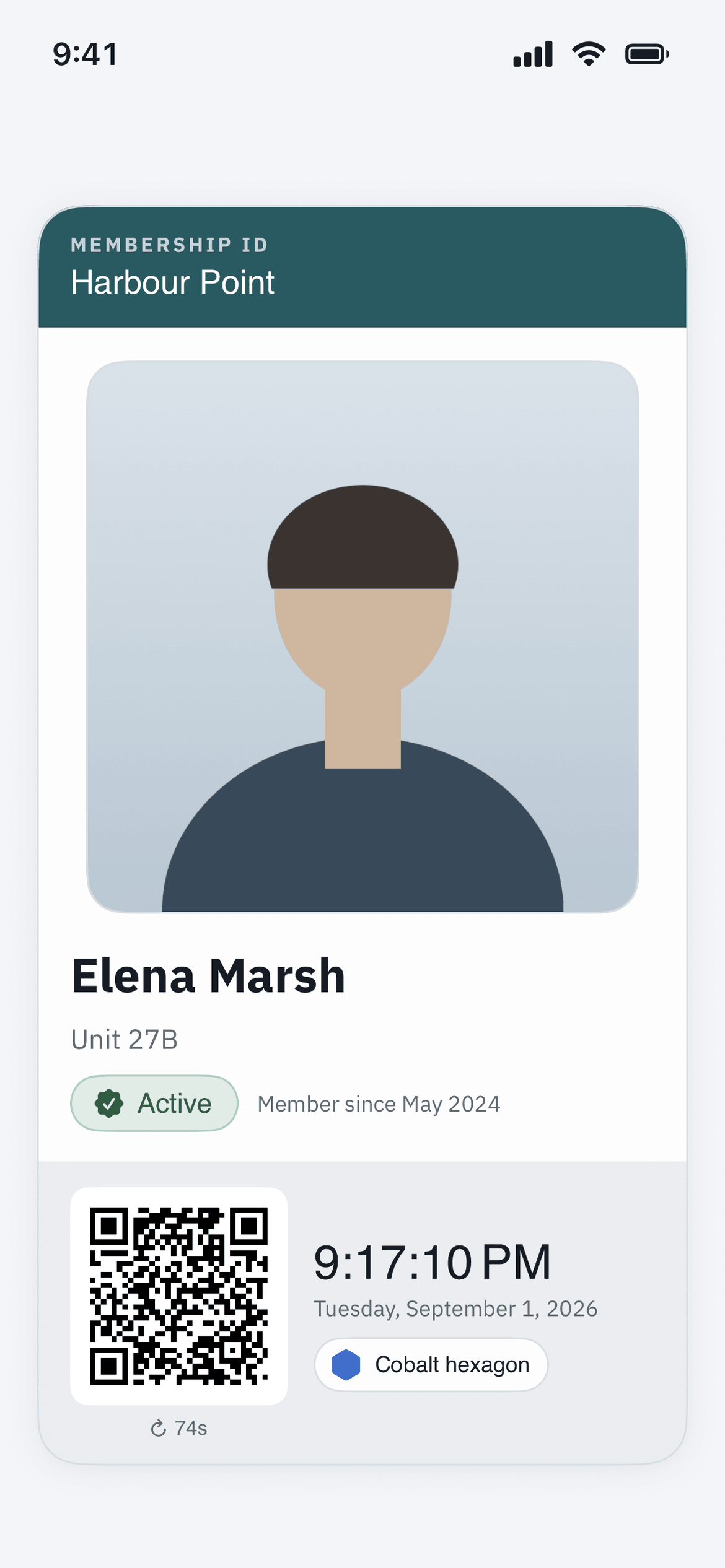
Most members are a home. Some are not. Every one of them has a card in the app with their photo, name, home and a QR code, and the photo is taken by staff, not uploaded by the member.
A home
The tier is set on the home, and everyone who lives there shares it. A home with no tier of its own takes the default tier, if the community sets one. Someone with two homes on different tiers books with the better of the two.
Children and dependents
A household member with no login of their own still gets a card, with their own photo. It is carried in the app of each resident of that home, and the desk scans it like any other.
Members who live elsewhere
Where the community takes club members from outside the gates, the office adds them with a tier of their own. They sign in to the same app, carry the same card and book the same way.
A code that goes stale
The QR code is a signed code good for 90 seconds, and it refreshes while the card is open. A screenshot of it stops scanning within 90 seconds.
One card per person
Each card carries its own photo. A parent’s phone holds the cards of the children in the home, each with its own code.
Answered by the server
When the desk scans the card, the photo it shows comes from our server. Nothing on the member’s screen is taken on trust.
At the desk.
Whoever sits at the pool or the gym desk works from one screen. It asks the server about the card in front of it and gets one of three answers.
Green
Allowed
In their tier, inside its hours. Staff compare the photo with the person and check them in.
Amber
Staff decide
In their tier, but outside its hours right now, or included for use without booking. The screen says so, and staff decide. It is not a refusal.
Red
Not allowed
Not in their tier, a card that is not active, or access the office has paused. A pause reads “Amenity access on hold” or “Access removed by the office,” never the reason.
A login for the desk, and nothing else
The office creates logins for whoever works the pool or the gym desk. They open two screens, check-in and today’s bookings, and nothing else: no gate, no visitors, no resident records. Each desk device remembers which amenity it serves.
Camera, scanner, or the bookings list
Staff scan the card with the device’s camera or a USB or Bluetooth barcode scanner. Someone they know can be checked in from today’s bookings instead.
The photo comes from the server
The screen shows the photo on file, not the one on the phone being held up. The name, the home and the tier sit beside it.
Counted once, and written down
A second scan of the same person within two minutes is not counted again. Every scan is recorded, refusals included, and a check-in marks today’s booking as arrived.
It runs in a browser on a tablet, a phone or the desk computer. The guard at the gate can check a card the same way, from the guard’s screen.
When the office needs to say not now.
The office sees each person’s access to every amenity in one place: allowed, outside their tier’s hours, not in their tier, on a dues hold or removed, with the reason beside it.
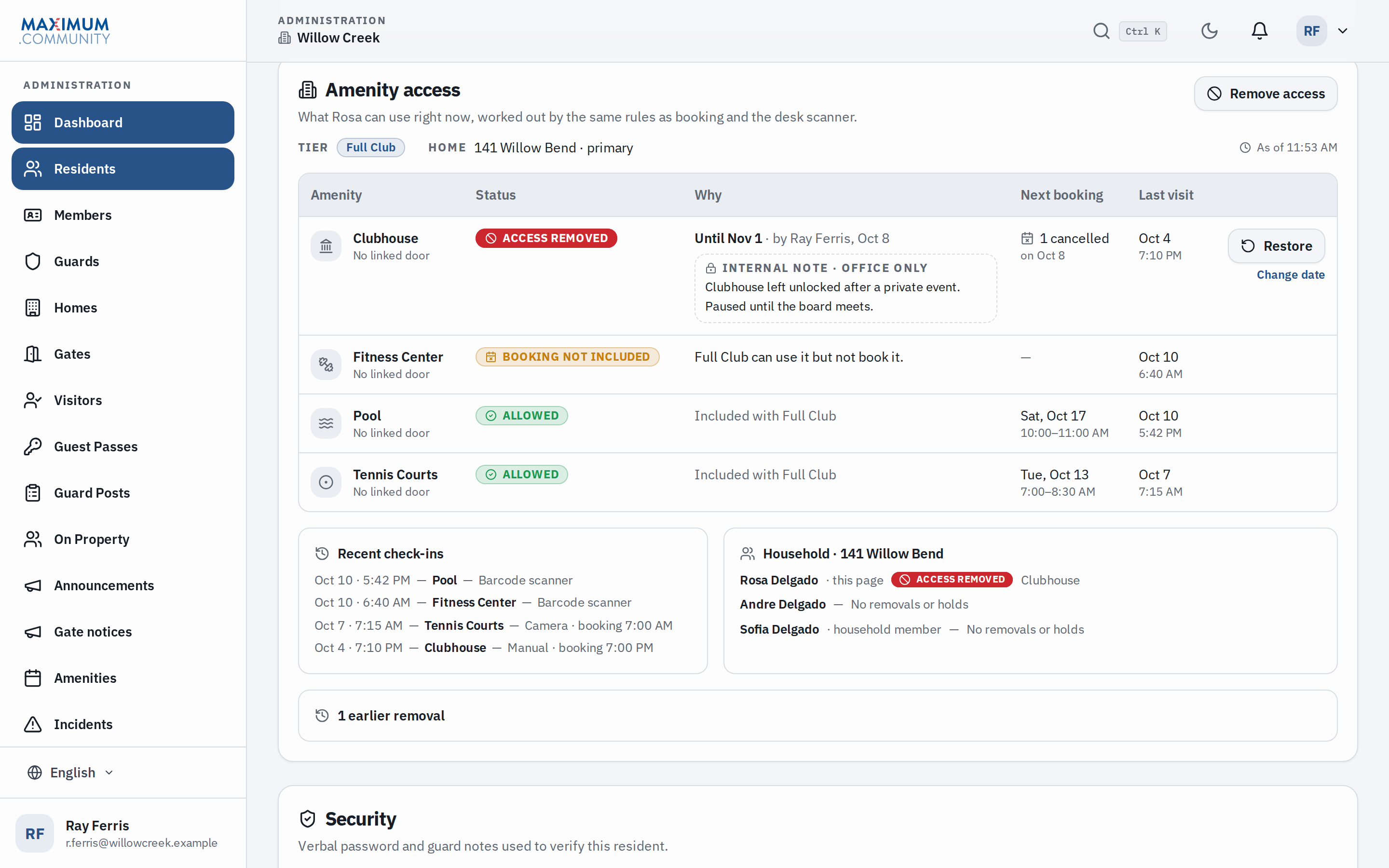
One person, or the household
Pause access to one amenity, several or all of them. “All” includes any amenity added later. Choose the day access comes back, at 12:00 a.m. community time, or leave it until the office restores it.
A reason only the office sees
The office writes down why. Members never see it, and neither do desk staff or guards. It is never put in an email. The member’s app shows the amenity as not available, with a line to contact the office.
Bookings, and an optional note
Pausing access offers to cancel the person’s upcoming bookings for those amenities. A short, neutral email to the member is available too. It is off until the office ticks it.
A pause covers amenities only. The gate, the front door, guest passes and visitors are never touched.
Holds for unpaid dues.
Where your governing documents suspend amenity use for unpaid dues, we can switch holds on for your community. The office then puts a home on hold. A member who tries to book is told only that their amenity access is on hold.
On the home, for every amenity
The office puts a home on hold, and everyone who lives there loses amenity access until it is released. Someone with more than one home here is held if any of them is on hold.
What a hold stops
New bookings, changes to a booking’s time, and card scans at an amenity. Placing a hold offers to cancel upcoming bookings. Releasing it does not bring them back.
What a hold never touches
The gate, the front door, guest passes, visitors and signing in. A hold is about the pool and the gym, not about getting home.
From the office’s own list
Place and release holds one home at a time, or import the office’s spreadsheet. Every row says hold or current, and a home missing from the file is left as it is. When a home is emptied at move-out, its hold is released.
Notices to the member are off unless the office turns them on for a hold, and they never mention dues, an amount or a reason.
When this is the wrong fit.
It does not suit every club. We would rather say so now.
You want the pool to run with nobody at the desk.
The check is a person comparing a photo with a face: the attendant at the desk, or a guard. An unattended gate needs a reader and a lock, which is our access control work, surveyed and quoted per site. Access control
You want guest numbers enforced at booking.
A tier’s guest allowance is shown to the desk when it scans a card. A booking does not ask how many guests are coming, so nothing counts them for you.
You want holds to follow your accounting software.
Nothing here reads a ledger. The office decides who is behind and places the hold, or imports a list. The association’s own legal notice is still its own to send.
FAQ
Questions about amenity access and membership.
Read next.
Visitor management
The platform the amenities live in: passes, the gate log, work orders, bookings.
Gatehouse software
The guard’s side: passes, plates and membership cards at the gate.
For HOA boards
What a board needs before it decides, and what changes in the first 30 days.
Access control
Readers and locks on the pool gate and the gym door, quoted per site.
Put the club’s rules where the desk can see them.
Fifteen minutes on the phone covers your amenities, who may use what, and how the desk checks today. We switch membership on for your community and set the tiers up with you.