For property management companies
Every community you manage, in one portal we run for you.
Maximum.Community is a visitor management platform built by Max Security USA. We are a guard company. The platform is free for every community you run, with no subscription and no per-unit or per-door fee, and one sign-in shows you the whole portfolio.We do the setup, we onboard the residents, and we take the support calls afterwards. Your office gets the reports and nothing else to run.
- One login, every property
- No per-unit or per-door fee
- We onboard and support residents
What is different about your job
A board worries about one gate. You worry about all of them.
Community software is usually written for a board that owns one property and lives behind its gate. You manage several and live behind none of them. Five things change.
You run more than one gate
Several gate arms, several boards, and a different opinion about guest parking at each one. A separate login per property is a cost you pay every morning.
Your staff will change
Site managers move on. Guards rotate. Access to a property has to be a role you hand out and take back, rather than something one person remembers.
Somebody is waiting on a report
The board packet is due, or an owner wants the monthly summary. The numbers are in a paper gate log and a guard’s notebook, and somebody has to sit down and add them up. Every month.
Liability lands on you first
After an incident, the first question is what the record says and who was on site. If it takes you a week to produce the log, the week says something too.
You already have enough systems
Accounting, work orders, a resident portal, a payments provider. Usually a new platform means your office administers one more thing. We administer this one.
One portal
One set of credentials for the whole portfolio.
A lot of software says it supports multiple properties. Often that means you can buy it several times. This platform was built multi-tenant from the start, and in practice that comes down to six things.
Every community under one account
Your communities sit under one operator account. You sign in once and see all of them.
Staff roles you assign and revoke
You create manager, coordinator and guard accounts and assign each person to the sites they actually work. When someone leaves, you revoke one account. Nobody has to change a shared password at every booth.
Moving people between sites is an assignment
Covering a property for a week, taking on a new one, handing one back. Each is a reassignment in the portal, with no new credentials and no fresh induction.
Communities stay separate
Every record belongs to one community, and every request is checked against that community before anything else. One board cannot see another’s residents. Neither can another management company.
Rules set per property
Guest parking, amenity hours, booking limits, visitor pass windows, contractor access. Each community keeps its own policy, and its gate enforces that one.
Residents belong to their community
Residents are onboarded property by property, with their units, vehicles and contact details, and they see only their own community.
The honest comparison
Us against the paper log.
We have not audited anyone else’s product, so we will not line up against one. The fair comparison is with the clipboard in the booth and the notebook the guard keeps, because that is where the month-end numbers come from today.
| At the gate | Maximum.Community | The paper log and the notebook |
|---|---|---|
| Signing in to a property | One operator account, every community you run | A separate login for each property |
| A site manager leaves | You revoke one account | Somebody changes the shared password at every booth |
| Month end | You run a report for one community or the whole portfolio | Somebody reads the paper gate log the night before the meeting |
| The owner packet | The report exports as a document | A photograph of a screen |
| The morning after an incident | You pull the log | You reconstruct the log from the booth |
| A resident wants the plumber chased | They raise the work order and watch its status | They call your office |
Scroll the table sideways to compare →
When people leave
The system should not walk out with them.
Site staff and guards turn over. The danger is that how a property runs lives in one person’s head and leaves with them. Post orders are kept in the platform for each property, and in our guard app for iPhone and Android, now in testing, each guard reads and acknowledges them, so a new guard starts the first shift from a written procedure. Handover notes carry from one shift to the next. Every account is a role, and you revoke it in one action. Training the replacement is our job too.
Owner and board reporting
Reports that go straight into the packet.
Month end usually means somebody sitting with the paper gate log at nine at night, writing the security page for the next morning’s meeting. Here, entries, refusals, work orders, bookings, violations and incidents are recorded as they happen. The report is a query you run, for one community or for the whole portfolio, and it comes out the same way every month.
Entries and denied entries
How many people came through the gate, at what hours, and which entries matched a deny list and were flagged as denied.
Visitor and vendor activity
Who was on the property, which unit hosted them, and which contractors were on site that day. You look it up. Nobody has to piece it together from the booth.
Work orders and their status
Requests raised, assigned, still open and closed. The maintenance section of the packet comes out of the system instead of out of somebody’s memory.
Amenity use and bookings
Clubhouse, pool and tennis reservations set against each community’s limits. Handy when a board says the rules need changing and wants to know what actually happened last summer.
Incidents and violations
Logged incidents with the evidence attached, plus parking and rule violations and what was done about each one.
Every report exports
Each one comes out as a document, so it goes into the owner packet or the board pack as a file rather than a photograph of a screen.
We will not print a time-saved figure here. We have not measured one at your portfolio. Ask us for a report from a live community on the call and judge it yourself.
When it matters
The record you can produce in an hour.
Something happens. A fall by the pool, or a dispute between neighbours that turns into a letter from an attorney. The first question anybody asks is what the record says and who was on site. Every entry and exit is logged, an entry that matched a deny list is flagged with the list it matched, every incident carries its evidence, and the visitor log exports. You retrieve it. Nobody has to reconstruct it from the booth.
Who does the work
Setup and support are our job.
A free platform stops being free the moment your office has to administer it, so we administer it. Here is the split, written plainly enough that you can hold us to it.
What we do
- Verify the community and configure the site with you
- Set up gates, units, rules and access levels
- Import the resident list and vehicle records
- Onboard residents and answer their questions
- Train your staff and guards on their roles
- Keep supporting residents, guards and your team after go-live
What you do
- Introduce us to the board and confirm the property
- Hand over the resident and unit list, whether it is a spreadsheet or a binder
- Tell us which rules each board wants enforced at its gate
- Decide who gets which role
- Read the reports
What residents do
- Register their own guests instead of calling the booth
- Keep their own do-not-admit list
- Raise work orders and book amenities themselves
- Read announcements in their own language
- Stop calling your office about the plumber
What it costs
What is free, and what is not.
Anyone offered something free wants to know where the catch is. Here is the whole list. Three things cost money, and guarding is a separate service you can take or leave.
Free
The platform itself
Every community, unit, resident and guard account you create. No subscription. No per-resident, per-unit or per-door fee.
At cost
Text messaging (SMS)
A text message costs money to send, and the carriers require registration before we can send one. So SMS is charged only to communities that switch it on. Email is free and unlimited.
Quoted per site
Access control integration
Tying your gates and doors to the same pass means hardware, wiring and a licensed installer. We survey the site first and quote it per site. Optional, and rolling out to communities by quote.
Quoted per deployment
White labeling
Your name and your domain on the resident app, the emails and the passes, with Max Security’s taken off. That is bespoke work, and we price it as work.
Quoted per site
Guarding, patrol, cameras, monitoring
Max Security USA services, staffed by our own guards, and entirely optional. You can keep the free platform and your current guard company and never buy any of these.
How a property goes live
Start with one property and bring the rest across later.
There is no sign-up button. A platform that hands out gate access to real people ought to know who it is handing it to, so we verify every community first.
Step 1: A call about your portfolio
How many properties you run, how visitors get through the gate today, and which site makes sense to start with.
Step 2: We verify and survey
We confirm the property and the board, then walk the gate and check the cameras and the network.
Step 3: We configure and import
We set up the gates, units, rules and access levels, and import the resident and vehicle lists.
Step 4: Residents and staff go live
We onboard the residents, train your office and the guards, and keep taking the support calls afterwards.
Who is behind it
A guard company that wrote its own software.
Max Security USA was founded and is led by decorated law enforcement veterans, and is based in Huntington, New York. We work gates for a living. The software we could buy for our own posts was either expensive or bad, so we wrote our own, and that is why the platform is free and the guarding is what we charge for.
Staffed posts, patrol, remote guarding, cameras and access control are quoted per site across New York, New Jersey, Florida, Georgia, Arizona and Maryland. Keep your existing guard company if you like. The platform is free either way.
Where to find us
Max Security USA · 709 W Jericho Tpke, Huntington, NY 11743
Day to day
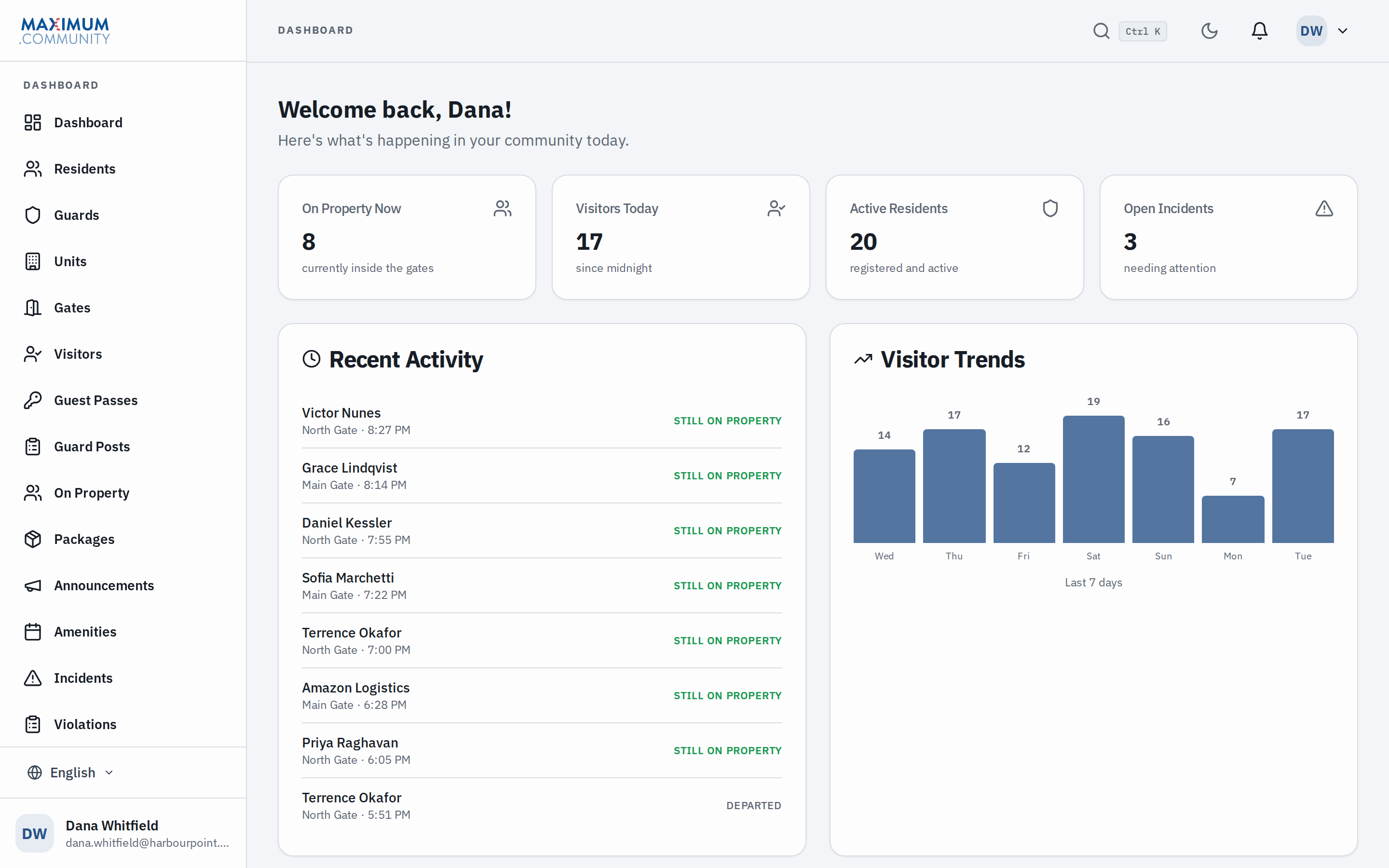
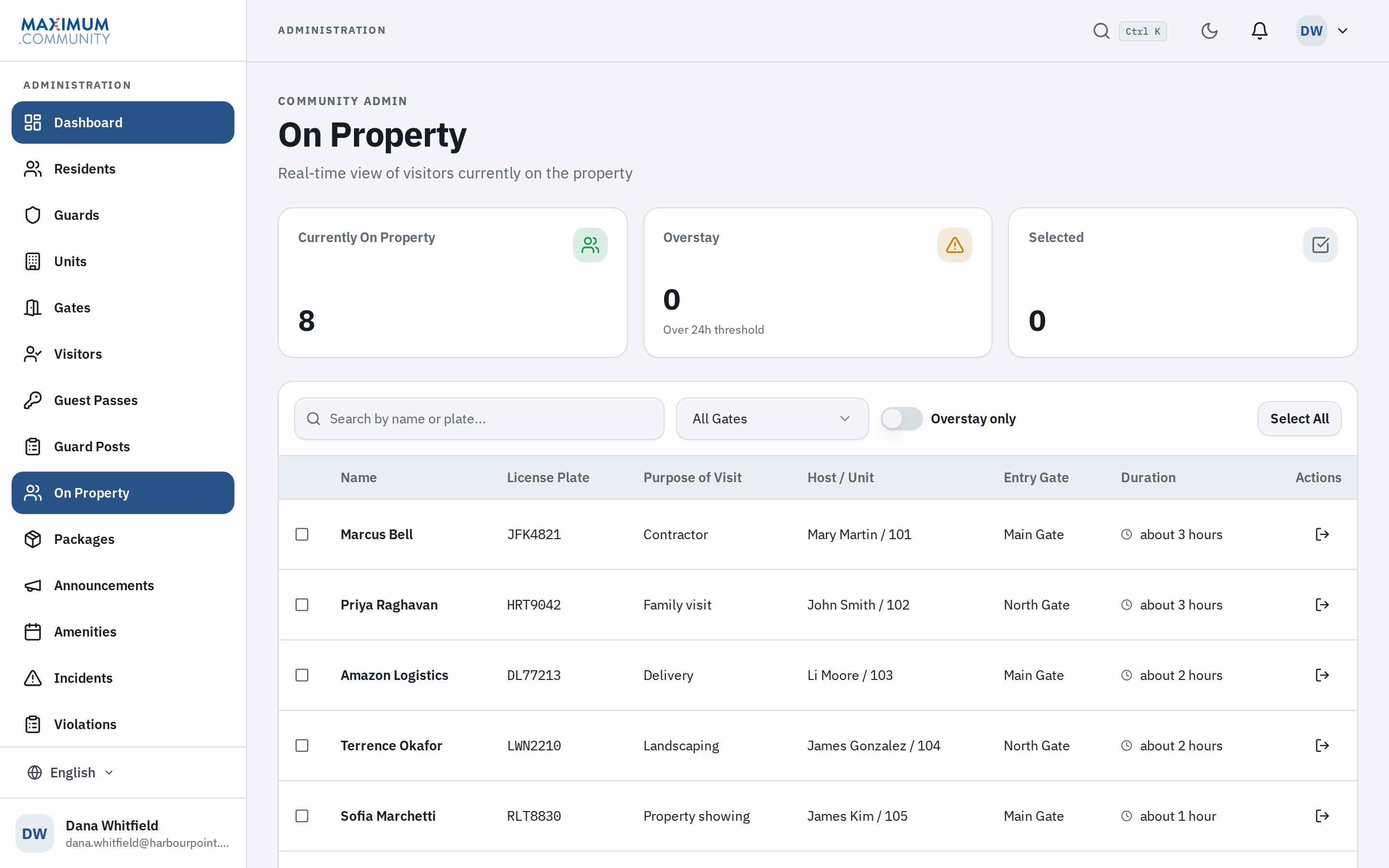
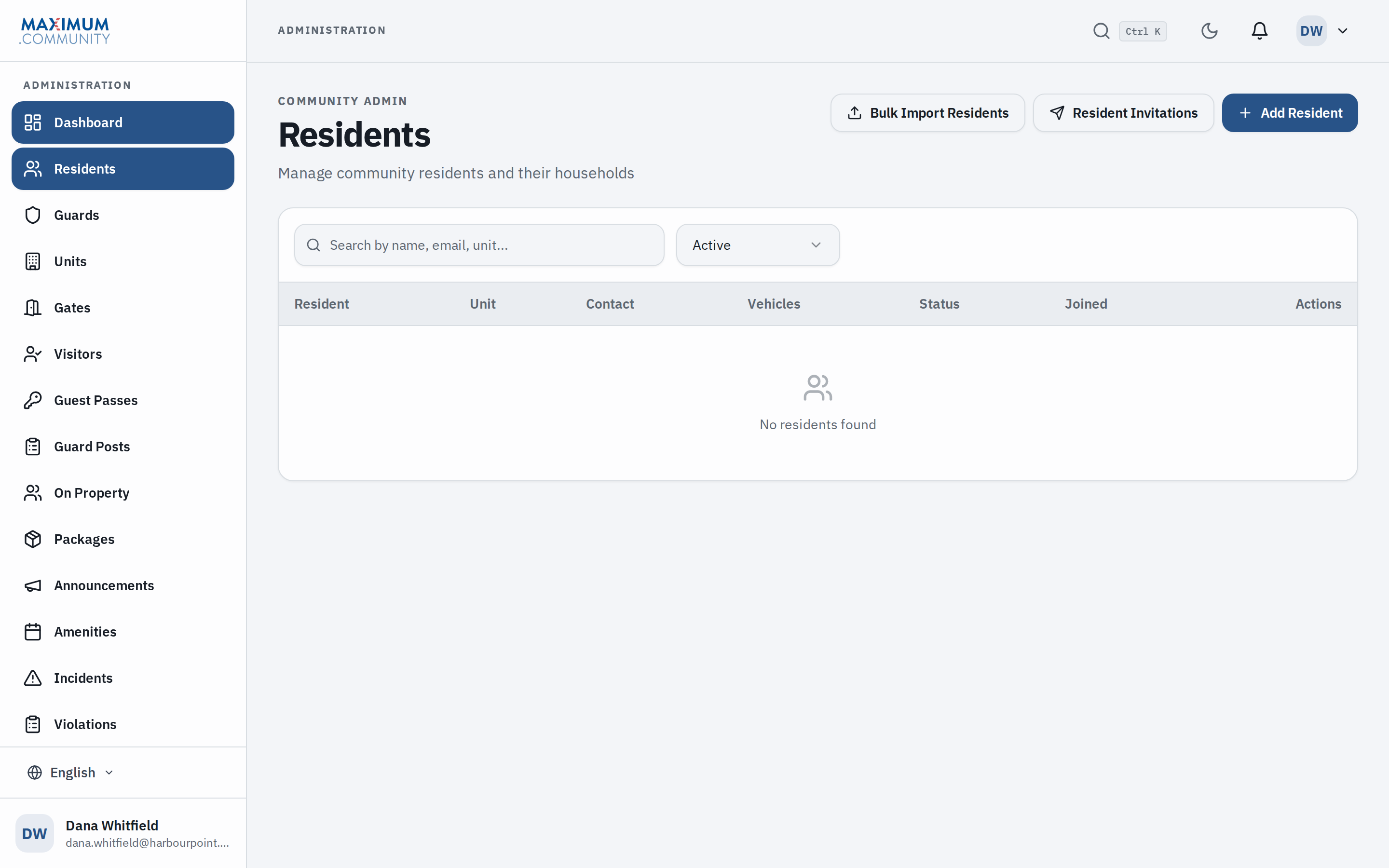
The screens you will live in.
FAQ
The questions you would ask on the call.
Answered here so you do not have to book a call to find out whether it is worth booking a call. Read the privacy policy and the terms, or email [email protected].
Pick one property and see a month of it.
Tell us how many communities you manage and which gate gives you the most trouble. We will set that one up, and at the end of the month you can judge the rest on the report it produces.